9 Strategies to run high-performing IT Teams in the age of AI


It’s 9:07 AM on a Monday, and you are just entering your office. You already have three Slack DMs, two ‘urgent’ emails, and someone has stopped you in the hallway asking about their Salesforce access.
The ticket queue already has 23 items, half of which are password resets. Your best agent just messaged that they’re taking a day off, and your CEO has forwarded you an article about how AI is revolutionizing IT support at some company you’ve never heard of, with a note that says: “Thoughts?”
AI can help, no doubt, but not the way most vendors are selling it.
According to McKinsey’s 2025 workplace research, 47% of C-suite executives admit their organizations are moving too slowly on AI, and they’re probably right: only 1% believe they’ve reached AI maturity. The organizations actually winning are using AI to give their people breathing room and aren’t replacing their teams with bots.
Here are nine strategies designed to take work off your team’s plate so they can focus on problems that actually need a human.
1. Question whether requests should reach the ticket queue at all
According to Gartner research, the average knowledge worker now uses 11 applications daily, up from just 6 in 2019. 40% of digital workers use more than the average number of applications, and 5% use 26 or more.
47% of these workers struggle to find the information they need to do their jobs. That’s not an IT problem. That’s a design problem; we’ve built systems that expect employees to know where answers live, instead of bringing answers to them. Modern AI flips exactly that.
Multimodal AI, supporting voice, vision, and chat, meets employees in the flow of work.
Atomicwork’s Universal AI Agent, Atom, for example, lets employees describe a problem verbally, share a screenshot, or type a quick question in Slack or Teams, and get an answer without ever opening a ticket. Self-service done this way becomes the default and not the exception.
2. Streamline how requests reach your team
A Harvard Business Review study found that employees at Fortune 500 companies toggled roughly 1,200 times per day between apps and websites. This ‘toggling tax’ costs workers nearly four hours per week reorienting themselves, roughly 9% of their annual work time.
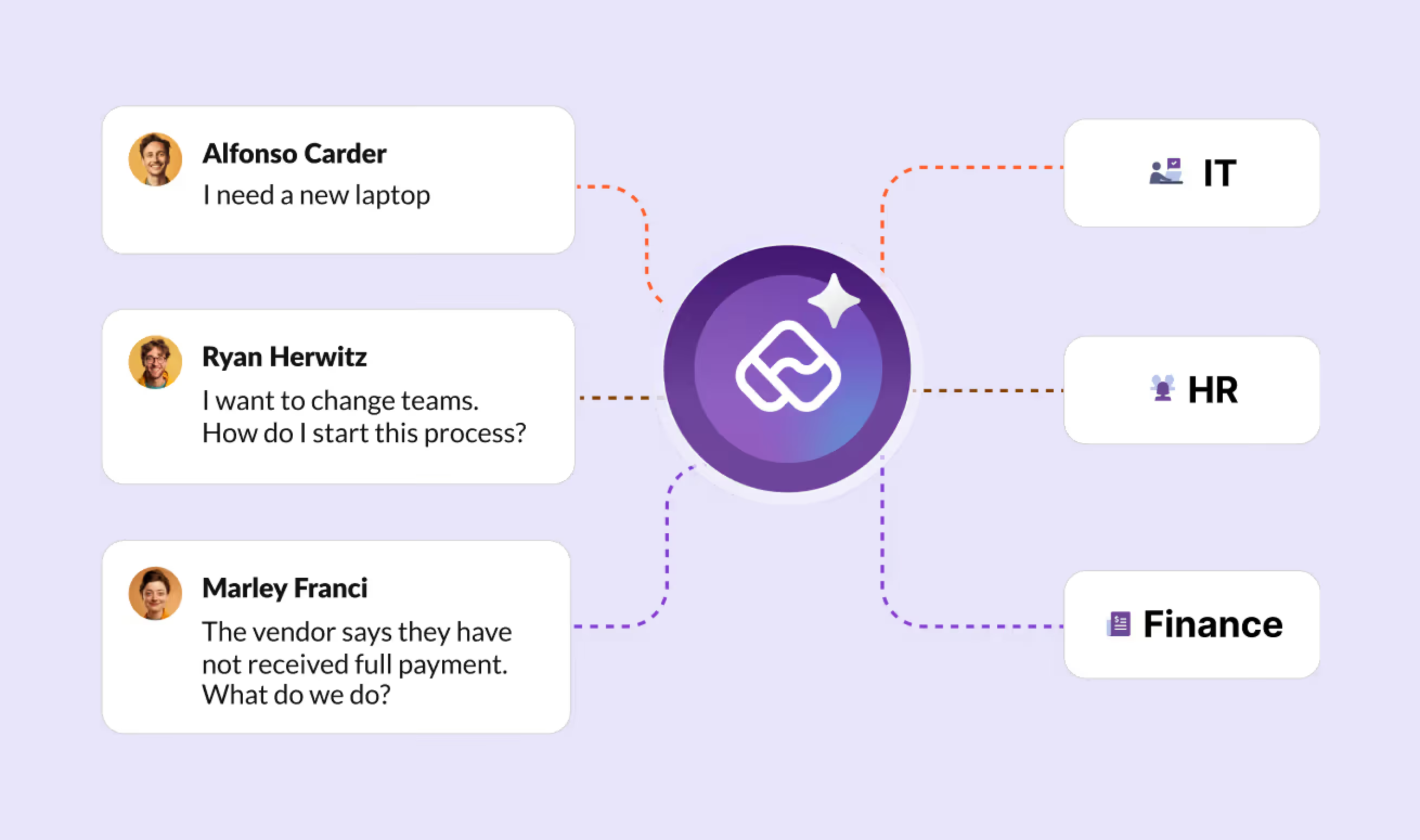
When employees submit requests through seven different channels: email, Slack, Teams, walk-ups, phone calls, context is bound to get fragmented, and prioritization becomes guesswork. AI-powered intake can unify these channels, automatically categorize and route requests to the right service teams, ensuring nothing falls through the cracks.
3. Break down knowledge silos
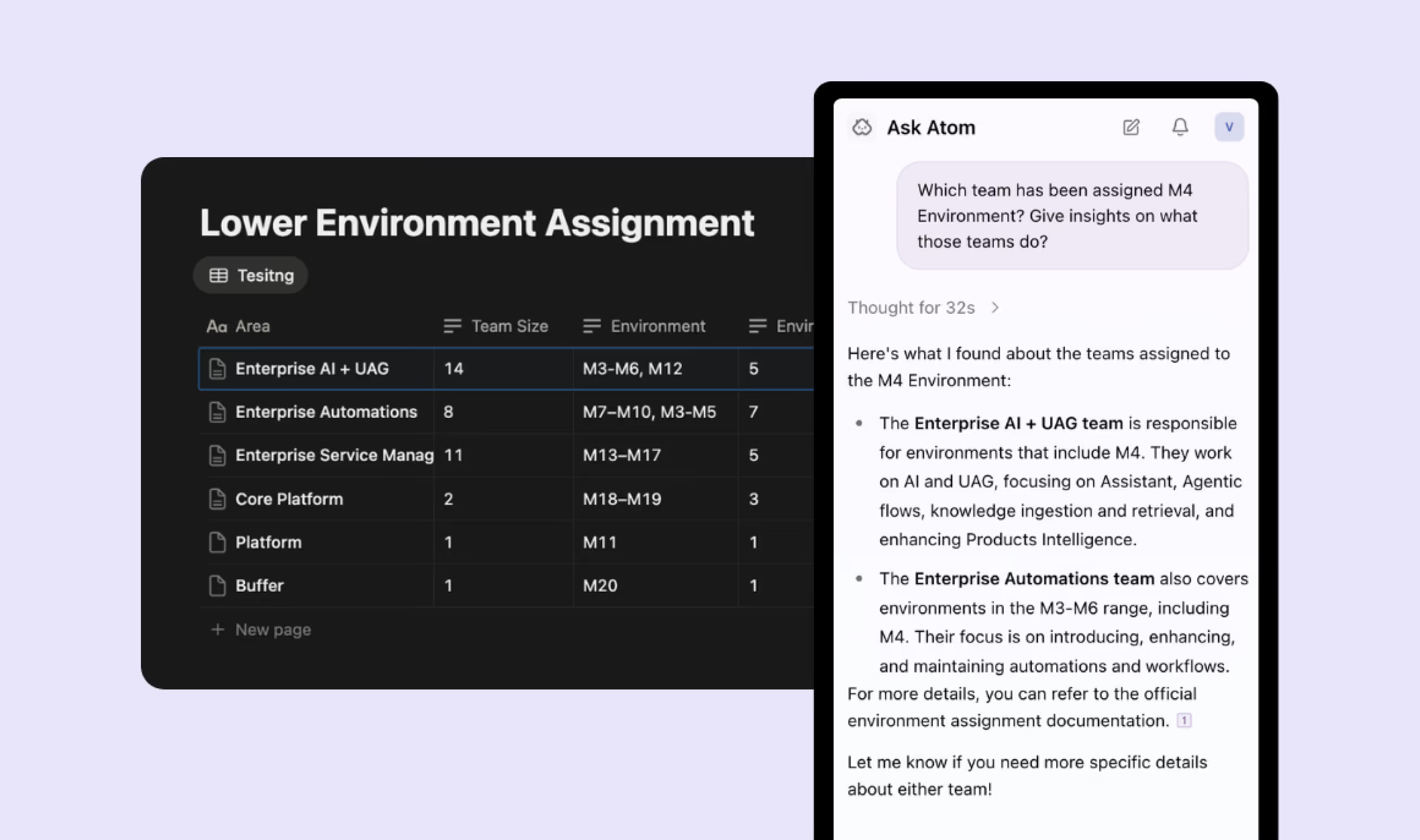
It is well-known that knowledge lives everywhere: in wikis, SharePoint, Notion, Confluence, Slack threads, and email chains. When an employee asks a question, they shouldn’t need to know where the answer lives.
AI-powered knowledge management unifies search across all repositories with permission-aware access. Atomicwork connects to enterprise applications across your stack, from knowledge bases like Confluence and SharePoint to collaboration tools like Slack and Teams, letting employees search across systems while respecting role-based permissions. The goal is to make institutional knowledge accessible without compromising security.
4. Automate high-volume, low-complexity tasks
Every IT person knows that a handful of request types account for a disproportionate share of ticket volume: password resets, access provisioning, software installations, VPN troubleshooting, among others. Every hour an agent spends on them is an hour not spent on the complex, ambiguous problems that actually need human judgment.
AI-driven automation handles the predictable stuff instantly. With Atomicwork, IT teams can build low-code workflows that resolve these requests in seconds rather than hours, without waiting for an agent to pick up the ticket. Similarly with AI agents, your IT teams can set up apps, their access policies, entitlements easily and automate access provisioning end to end. The goal is to redirect your team’s energy toward problems worth solving.
5. Shift from reactive to proactive incident resolutions
Most IT teams are usually in the ‘reactive’ mode. You know, something breaks, someone reports it, and then agents fix it. But Gartner predicts that by 2028, at least 15% of day-to-day work decisions will be made autonomously through agentic AI.
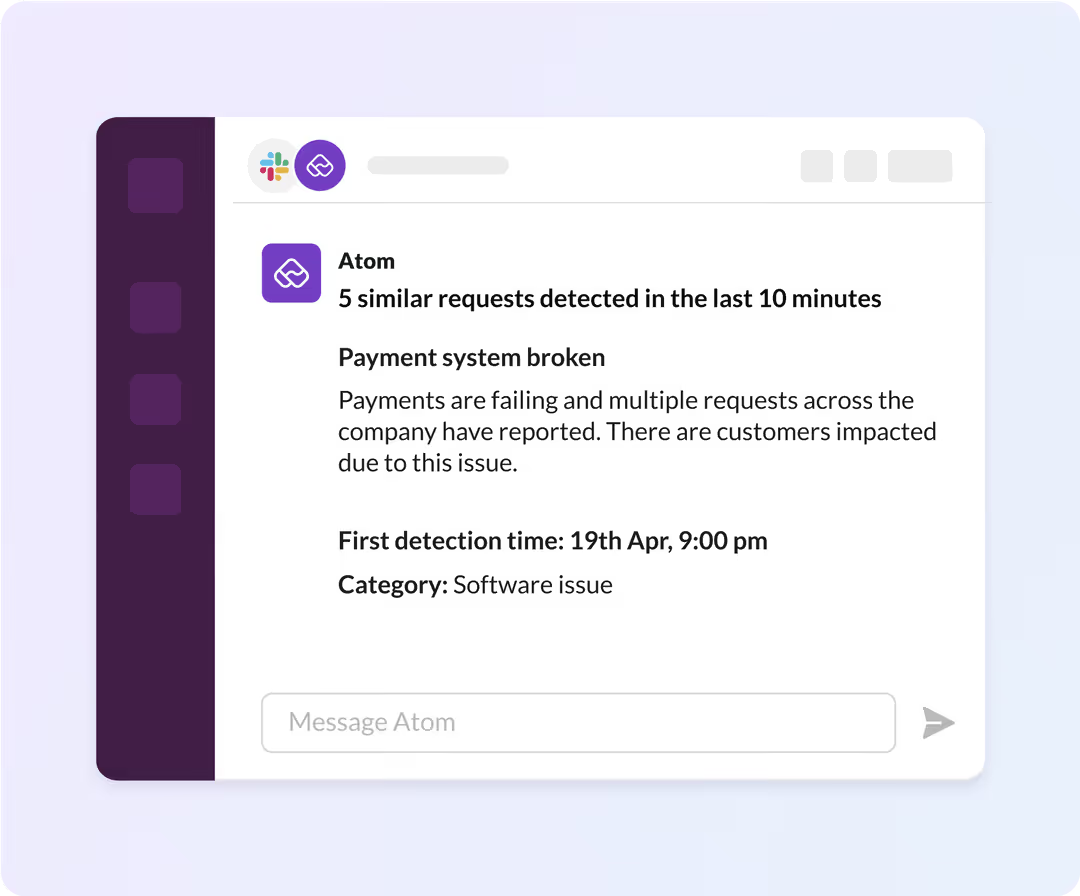
AI can link incidents to past problems, auto-generate root cause analysis tasks, and predict recurring issues before they escalate. The incident-to-problem-to-prevention loop becomes continuous. When you can see the pattern before the next outage, you’ve stopped fighting fires and started preventing them. And that’s where you should ideally be.
6. Unify context across systems
A Gartner survey found that only 23% of digital workers are completely satisfied with their work applications, down from 30% in 2022. Workers who are satisfied with their apps are nearly three times more likely to report being much more productive.
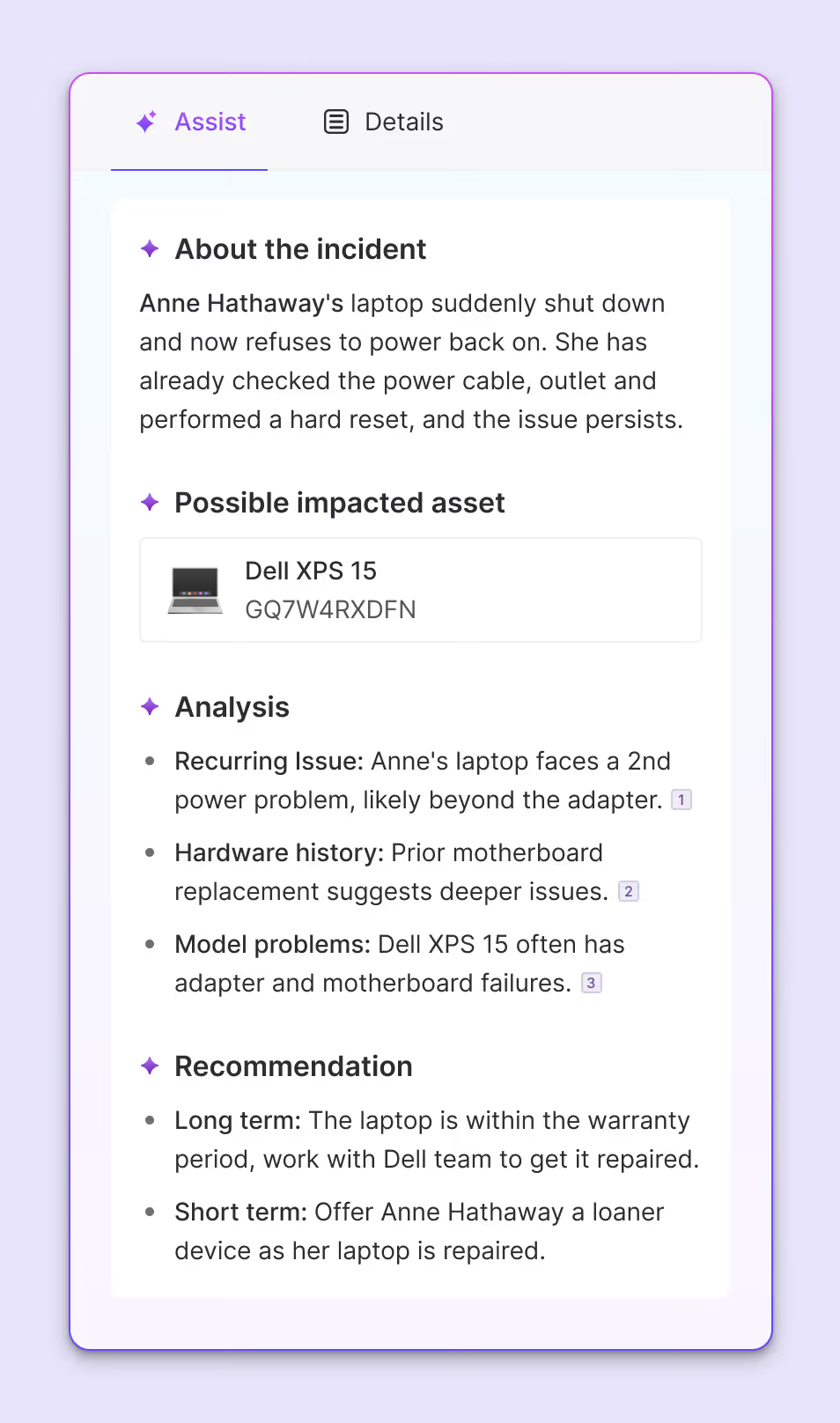
IT agents often toggle between multiple tools per ticket: MDMs, identity providers, HRIS, CMDB, and ticketing systems. Atomicwork addresses this by pulling context from systems like Okta, BambooHR, Jamf, and Microsoft Intune into a single view so that agents can see the user’s device, role, access history, and related incidents without opening six tabs.
7. Build holistic visibility, not piecemeal metrics
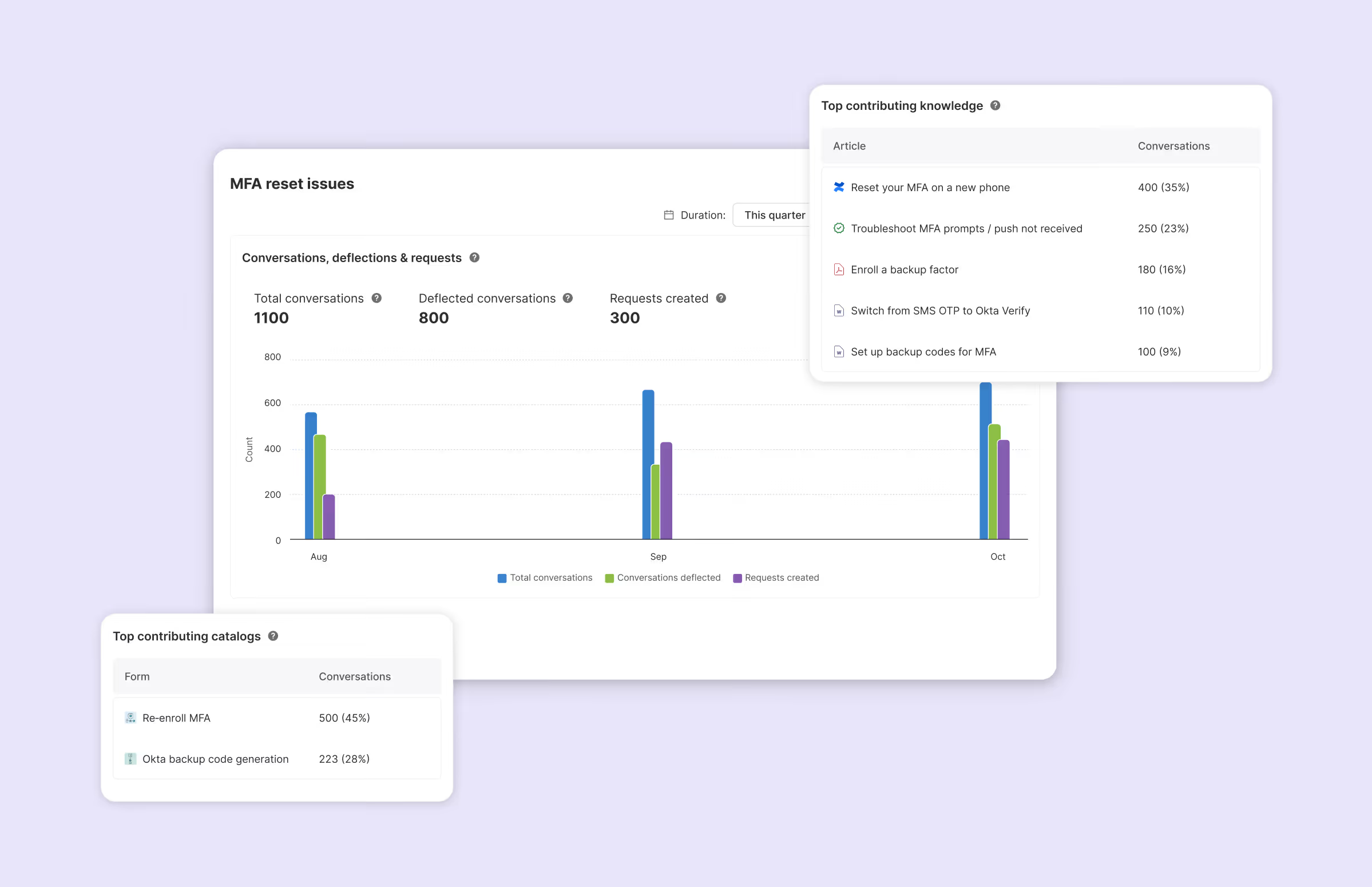
Dashboards that only show ticket counts and resolution times tell you what happened, not why. To really improve operations, leaders need system-wide insight: which requests keep recurring, where bottlenecks form, which knowledge gaps drive the most escalations, what’s ripe for automation, and when after-hours load is spiking.
As you can imagine, piecemeal metrics lead to piecemeal fixes, and AI-powered analytics can surface patterns across the entire employee experience, connecting the dots between a spike in access requests, a recent org change, and an undocumented workflow. When you ‘see’ the system, you can fix the system.
8. Use AI to augment skills, not replace people
PwC’s 2025 Global AI Jobs Barometer, analyzing nearly a billion job ads, found that industries most exposed to AI saw productivity growth nearly quadruple, from 7% to 27%, and are experiencing 3x higher growth in revenue per employee. Workers with AI skills now command a 56% wage premium.
The lesson is that AI makes workers more valuable, not less. IT leaders must involve the team in selecting and implementing AI tools. The agents closest to the work often have the best ideas about what to automate, and what still needs a human touch. Co-creation builds buy-in and surfaces practical improvements you’d never see from the top down.
A positive attitude is contagious, and it's amazing what a team can achieve with the right mindset. Slowly but surely, involve everyone from the service desk to leadership, to feel connected to the bigger picture - ask them for inputs to show how their work contributes to the bigger picture. Mark Gill, Senior Director of IT at Zuora
9. Take agent burnout seriously
Gartner research shows that the average employee is working more than nine extra, unpaid, hours of overtime per week.
Employees with proactive rest strategies show only 2% burnout rates, compared to 22% for those without, and proactive rest leads to a 26% increase in performance.
It is no secret that IT support roles carry unique stressors: constant interruptions, high stakes, and the emotional labor of helping frustrated users. AI can help by handling the repetitive work that drains energy, but technology alone isn’t enough. Recognition, manageable workloads, and genuine support matter. This must come from the leaders. Agents want to feel valued and equipped; when they are, they deliver better service and stay.
We’ve glorified the idea of being ‘always on.’ But being always available doesn’t mean you’re always okay. - Paul Brandvold, ITIL® 4 Master and ITSM thought leader
AI-augmented IT service teams are unstoppable
According to Atomicwork's State of AI in IT 2026 report, 67% of organizations have seen positive ROI with their AI projects. Enterprises take a few years to see the compounding ROI of AI.
What separates those who get there from those still waiting?
The organizations getting real value aren’t chasing every shiny AI feature. They’re solving specific, painful problems: reducing ticket volume, improving first-contact resolution, freeing agents from repetitive work, and building systems that actually help employees help themselves.
That’s what you can tell your CEO: AI isn’t magic; but applied thoughtfully to the right problems, with your team’s input, measured honestly, it can transform IT from a reactive cost center into a strategic powerhouse.