Your new workforce won't be all human. Join the

conference to learn how to manage it.
request invite

Your IT team gets 200 tickets a week. Half of them are password resets, access requests, and "where do I find this document" questions.
Your best people are stuck answering the same things on loop.
You've probably already tried AI: a chatbot, an automation rule. It helped. But the tickets kept coming. Because the problem isn't that your team needs better tools. It's that they need more hands.
That's where the conversation around AI is shifting.
The early wave of enterprise AI was about augmenting your team, giving them smarter search, faster responses, and automated workflows. Useful, but still human-dependent. Someone still had to supervise, escalate, and close the loop.
What's emerging now is different. Instead of asking "How do we use AI to support our team?" forward-thinking CIOs are asking: "What if AI could be part of the team?"
Not just a tool you use. A workforce you build.
Gartner predicts that by 2028, 33% of enterprise software applications will include agentic AI, up from less than 1% in 2024. The shift is already underway. AI agents today can assume a role, possess a set of skills, remember past interactions, delegate to specialized sub-agents, and work across IT, HR, and finance simultaneously. These agents are less like software and more like digital employees: named, configured, and deployed to own specific functions in your organization.
This guide breaks down what AI agents are, how they work, and what it takes to move from "we use AI tools" to "we have an AI workforce."
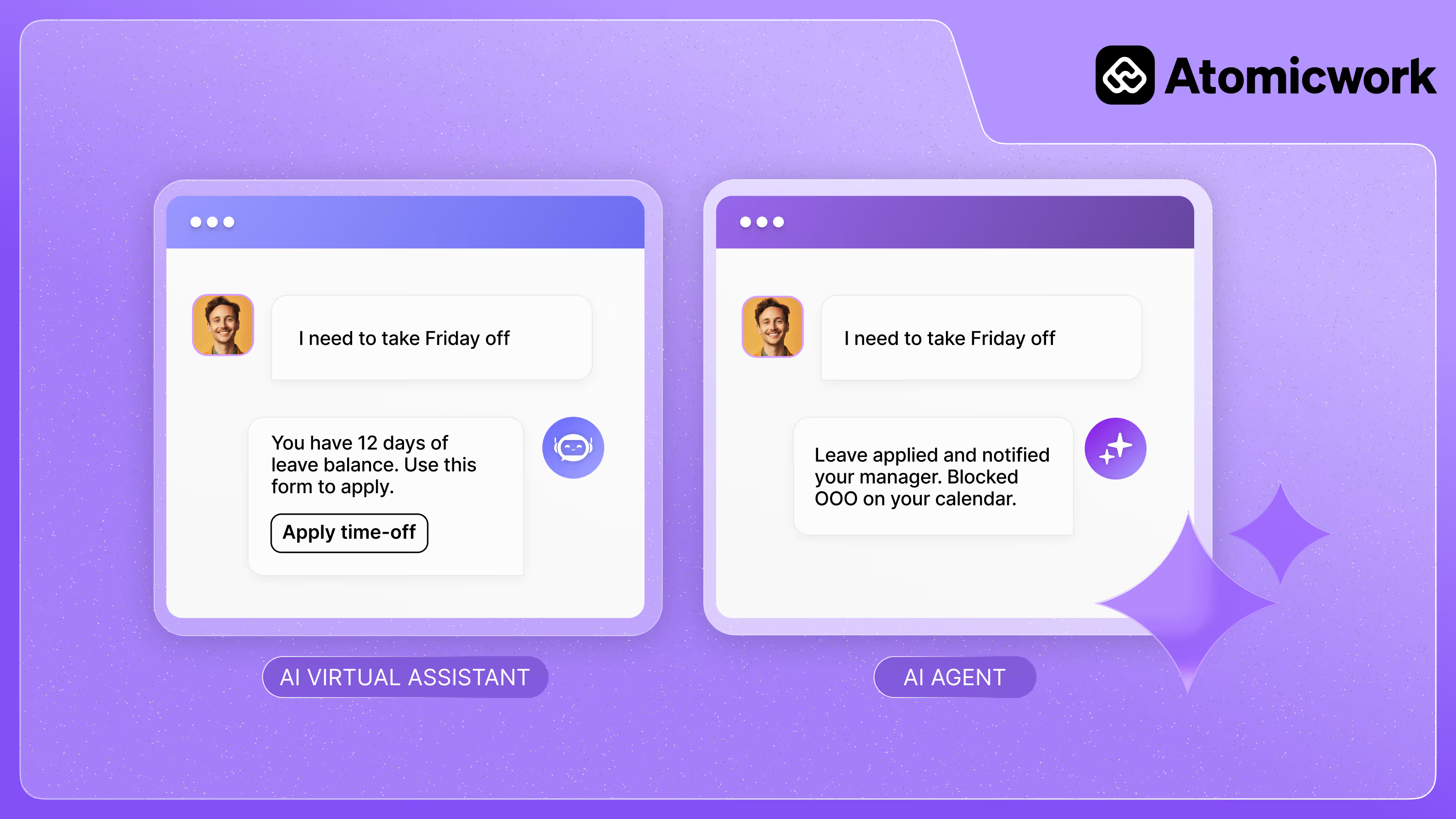
An AI agent is a software program that can independently interact with its environment, collect data, and use it to perform various specialized tasks. Unlike a simple automation rule or a search tool, an AI agent can assess a situation, decide what to do next, and act, without waiting to be told.
But here's what makes modern AI agents different from anything that came before: they can be structured like employees.
Each agent can carry an identity (a defined role), a set of skills (specific capabilities it's trained to handle), and memory, both short-term, to understand the current conversation, and long-term, to draw on past resolutions.
AI agents are most successful for use cases that were pretty much impossible to automate until today and required human intervention or judgement. They are ideal when inputs are complex to process, can change and adapting to these changes is crucial to achieving successful outcomes. - Aparna Chugh, Head of Product at Atomicwork
This structure: identity, memory, skills, actions — is what separates an AI agent from a chatbot or a workflow rule. And it's what makes building an AI workforce possible.
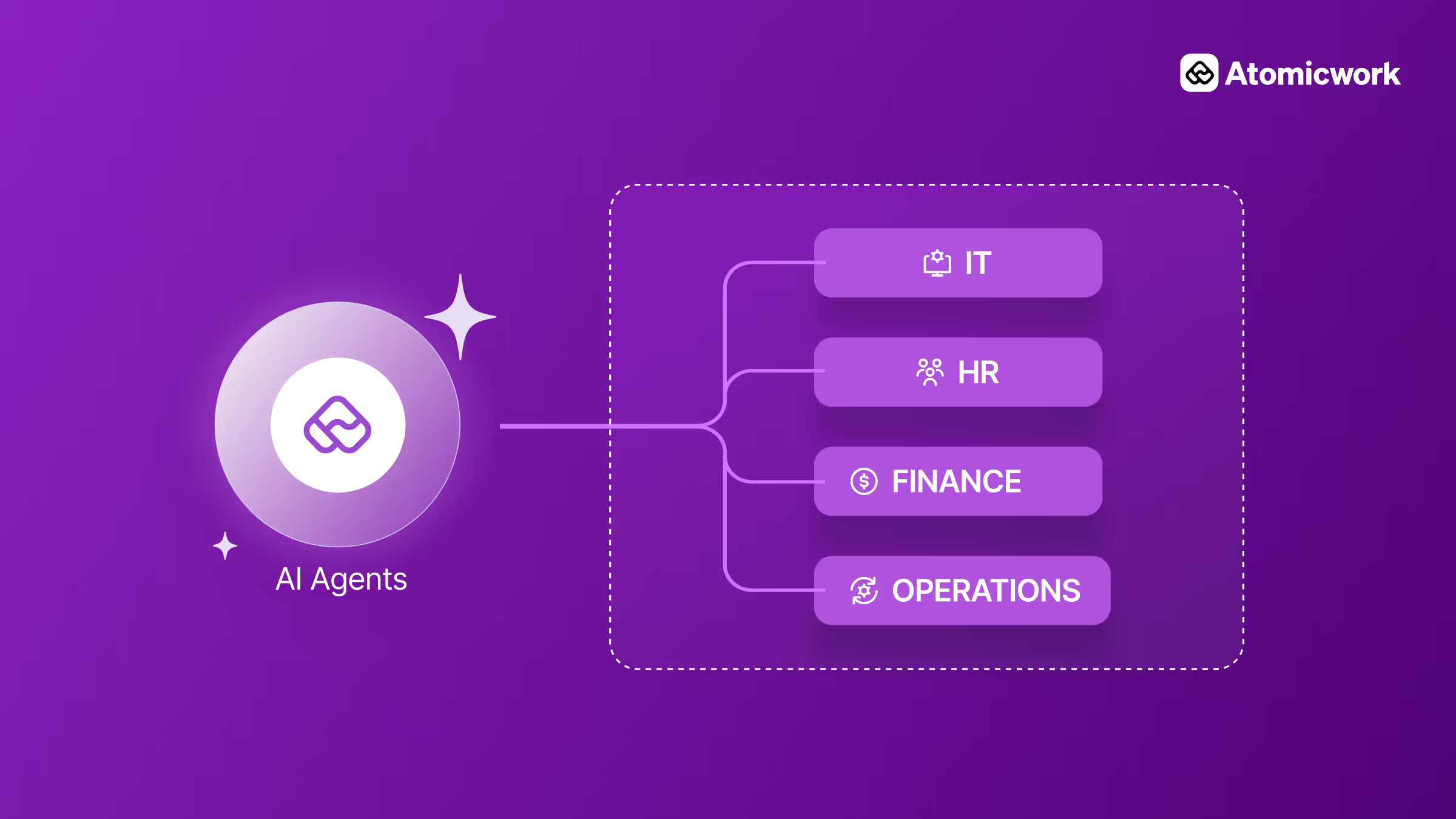
Instead of deploying a single generic bot to handle everything, you can build specialized AI workers: one focused on IT service management and another on HR operations, each with its own context, tools, and scope that can own functions.
What is an AI workforce?
A single AI agent can handle a task. An AI workforce handles a function.
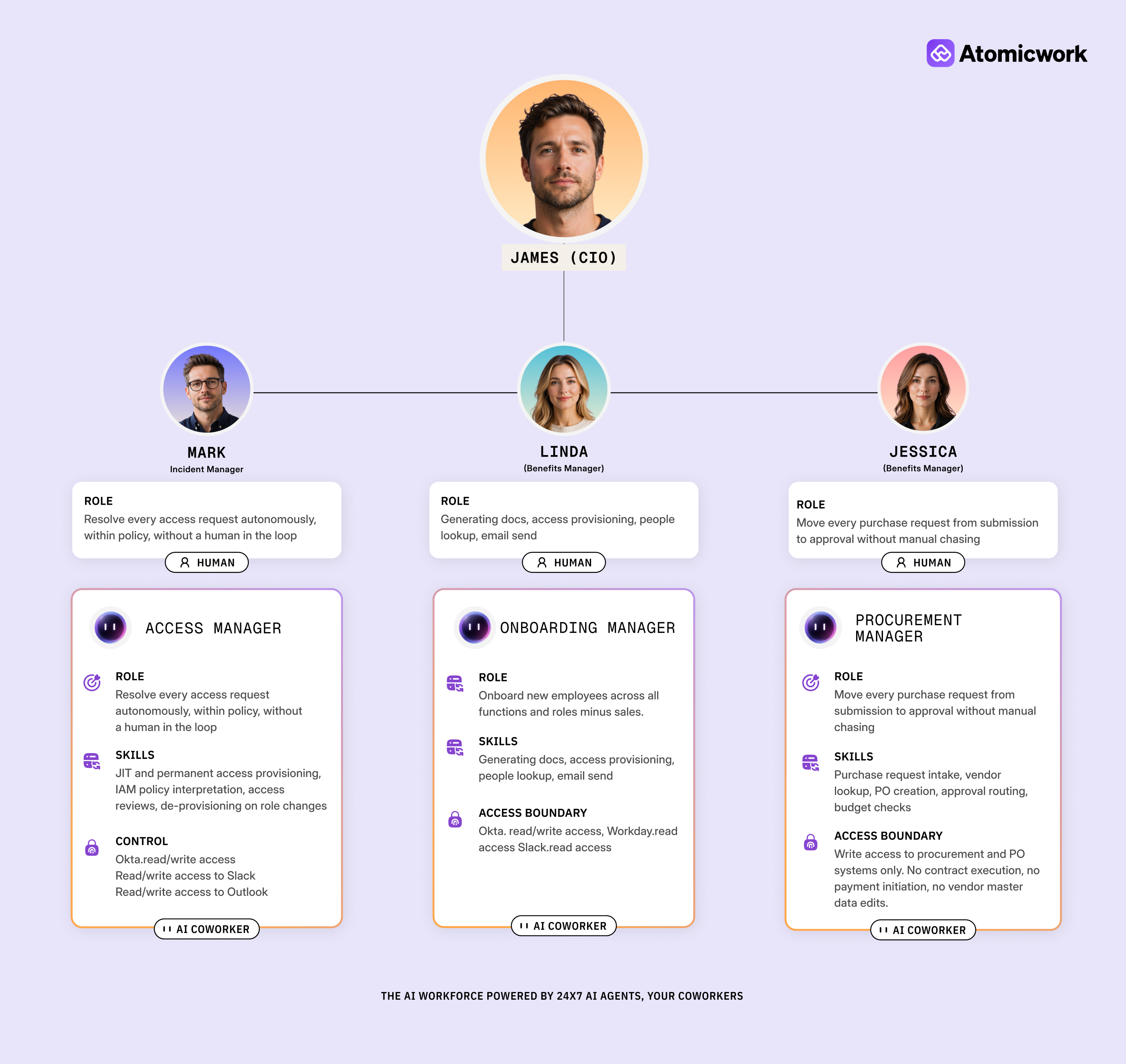
Suppose Jordan is your IT AI employee. He has a defined identity, memory, and instructions. He can reset passwords, manage access requests, and troubleshoot device issues. When something falls outside his scope, he delegates to specialized sub-agents, an Enterprise App Agent for provisioning, a Device Agent for hardware issues, each with their own tools and skills.
Bob is your HR AI employee. Same structure, different domain. Onboarding, payslips, leave management.
Neither Jordan nor Bob is a bot waiting for a prompt. They're configured AI coworkers, deployed to their own specific functions across your organization, running in parallel, around the clock.
That's an AI workforce: a coordinated set of AI employees, each with a role, skills, and the autonomy to act that are leveraged to reimagine how service delivery works at scale.
AI agents differ from traditional AI in several ways.
Here's how:
Unlike traditional AI systems that rely on predefined rules and human oversight, AI agents operate autonomously. They gather data, make real-time decisions, and perform tasks independently without human input. Traditional AI, on the other hand, heavily depends on human input.
Traditional AI tools focus on executing specific tasks following human instructions. On the other hand, AI agents dynamically determine which actions are required to achieve the overarching goals set by humans.
Unlike traditional AI systems confined to static datasets, AI agents interact with their environment. They collect data and adjust their behavior and actions as the conditions change.
Traditional AI systems require retraining and reprogramming when new data arise. AI agents continuously learn and analyze the data from their environment to improve performance and offer better outcomes.
Related resource: RPA vs. Enterprise AI agents
The short answer: the volume of repetitive, structured work in most enterprises has outgrown what human teams can handle without burning out or scaling costs. AI agents address this in three ways that matter to CIOs.
IT teams, HR operations, and finance departments all deal with a steady stream of predictable requests like password resets, access provisioning, onboarding workflows, invoice approvals. AI agents can own these end-to-end: resolving the request, closing the loop with the employee, and logging everything for compliance. This isn't about deflecting tickets to a chatbot. It's about eliminating the ticket entirely.

Most enterprise tools operate in silos. An AI agent connects across them — checking an employee's identity in Okta, provisioning access in GitHub, creating a Jira ticket, and notifying the requester in Slack, all within a single workflow. That cross-system coordination is what separates agents from simple automations.
Every resolution an AI agent handles feeds into its long-term memory. Over weeks and months, it learns which troubleshooting steps actually work for your environment, which approvals need escalation, and which requests can be auto-resolved with confidence. Traditional automation doesn't improve but agents do.
AI agents function like humans. They mirror how humans operate through a dynamic system.
An AI agent has three core layers that work together: a reasoning engine, a set of tools, and a framework that connects them. Imagine an AI agent as a human with a mind, hands-legs, and a body to understand how AI agents work.
At the core of the AI agent is a large language model, where all the cognitive functions like reasoning, thinking, and decision-making happen. The LLM processes information, assesses the situation, and determines the best course of action to achieve the objectives.
For instance, when resolving a service request, the LLM analyzes the user inputs to understand and decide which specialized tool to call to fulfill that function.
AI agents use tools to act on systems: web browsers for information retrieval, APIs for database access, diagnostic utilities for troubleshooting. For example, if an employee reports a broken laptop, multiple AI agents spring into action: the Troubleshooting AI Agent asks clarifying questions about the issue, the KnowledgeRetrieval AI Agent fetches relevant guides and solutions, and if needed, the Routing AI Agent directs the case to the appropriate IT team.
The framework is the infrastructure that connects reasoning to action. It orchestrates which tools get called, in what order, and feeds results back to the LLM for the next decision. Without it, you have a smart model and useful tools that can't coordinate.

For example, when a user reports an issue, the AI agent decides which tools to use. The framework facilitates the connection to optimize the response time and accuracy.
In the real world, when an AI agent receives a service request, it initiates a dialog with the user to gather information. The LLM assesses this information and selects the appropriate tools to address the request. This streamlined process enhances efficiency and frees human resources to focus on more complex tasks.
Related resource: Top agent frameworks for businesses to use in 2026
Not all AI agents are built the same. They range from simple responders to fully autonomous workers capable of managing multi-step enterprise processes.
Respond to inputs as they come, with no memory of past interactions. Think basic chatbots that answer FAQs from a fixed script. Useful for simple, predictable queries but can't handle anything outside their programmed scope.
Go a step further by anticipating needs using historical data. Instead of waiting to be asked, they surface relevant information or flag potential issues before they escalate.
Continuously improve through feedback and past interactions. Each resolution makes them sharper. Atomicwork's Atom is built this way, drawing on long-term memory to get better at handling requests over time.
The most advanced tier. These are fully autonomous, multi-step systems where multiple specialized agents coordinate to complete complex workflows. This is the AI workforce model: agents with defined roles, skills, and sub-agents working in parallel across departments.
| Capability | Reactive | Proactive | Learning | Agentic System |
|---|---|---|---|---|
| Memory | None | Limited | Yes | Yes |
| Autonomy | Low | Medium | Medium | High |
| Multi-step tasks | No | No | Partial | Yes |
| Learns over time | No | No | Yes | Yes |
| Sub-agent coordination | No | No | No | Yes |
| Enterprise-ready | No | Partial | Partial | Yes |
| Best for | Simple FAQ deflection | Predictive alerts | Adaptive service resolution | Full autonomous workflows |
Most enterprises have already experimented with chatbots or RPA. AI agents aren't an upgrade to either. They're a fundamentally different category.
| Capability | Chatbots | RPA Bots | AI Agents |
|---|---|---|---|
| Understands natural language | Partial | No | Yes |
| Follows predefined rules only | Yes | Yes | No |
| Handles unstructured requests | No | No | Yes |
| Learns from past interactions | No | No | Yes |
| Works across multiple systems | No | Partial | Yes |
| Can delegate to other agents | No | No | Yes |
| Requires human handoff often | Yes | Yes | Minimal |
| Enterprise-ready autonomy | No | Partial | Yes |
| Best for | Scripted FAQ deflection | Structured data processing | Autonomous, cross-system resolution |
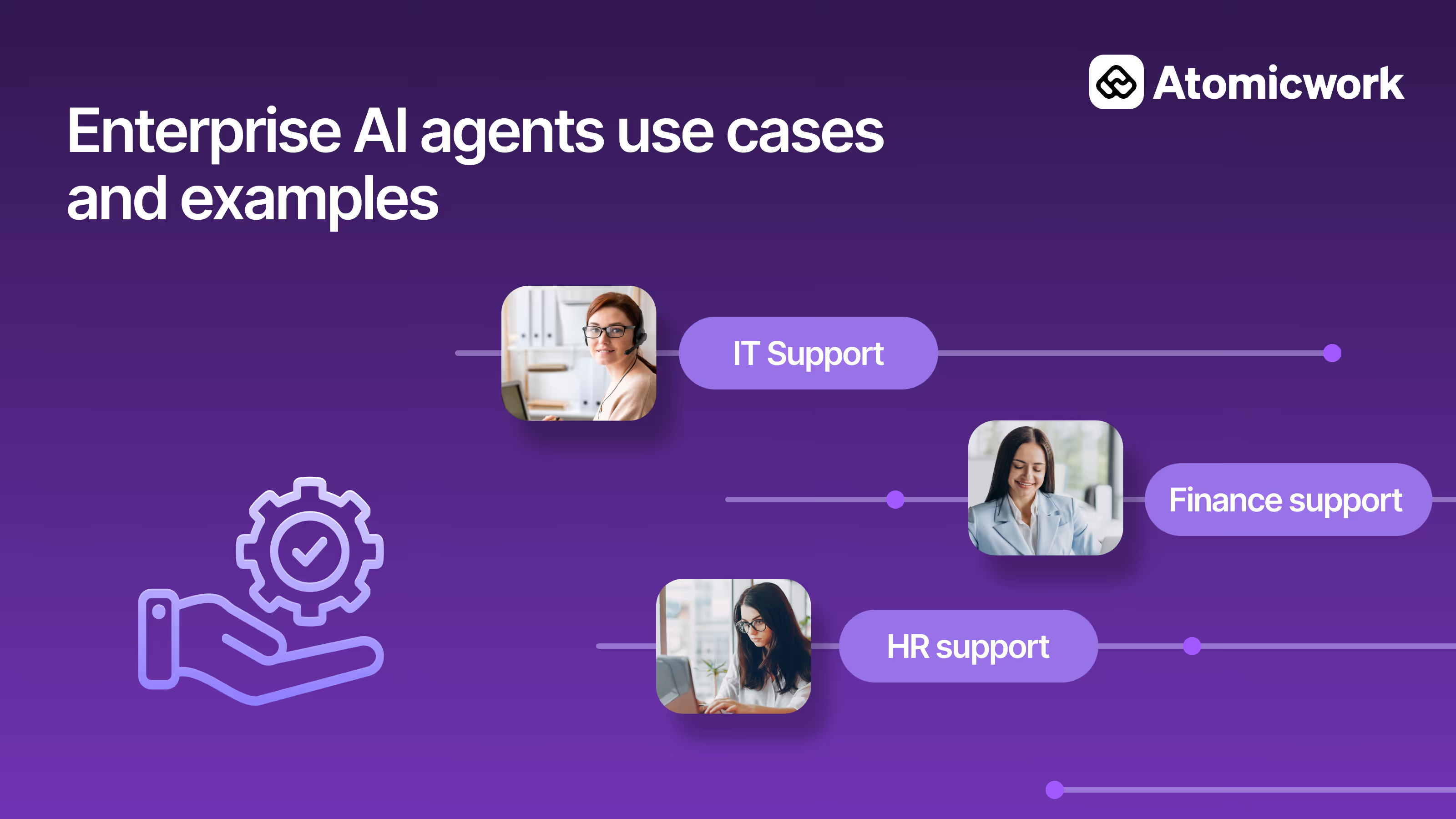
AI agents aren't a single-team solution. Once the architecture is in place, the same workforce model scales across every service function in your organization.
This is where AI agents deliver the most immediate ROI. High ticket volumes, repetitive requests, and clear resolution paths make IT the natural starting point.
Most IT teams spend a disproportionate amount of time on Tier 1 requests — password resets, access provisioning, basic troubleshooting — that follow predictable patterns. Forrester estimates each password reset costs $70 in direct support and lost productivity. For a 1,000-person company with just two resets per employee per year, that's $140,000 annually on a single ticket type. AI agents can resolve these requests end-to-end without human intervention, freeing your team to focus on incidents and projects that actually need them.
Common use cases:
HR teams deal with high volumes of policy questions, onboarding tasks, and employee requests that don't always need a human to resolve.
Onboarding is the clearest starting point. A new hire joining in a specific region needs the right equipment ordered, the right apps provisioned, the right documents sent, and the right Slack channels joined — often across three or four systems. An AI agent can orchestrate this entire workflow from a single trigger, adapting steps based on role, location, and department.
Common use cases:
Slower to adopt but high-value once implemented. Structured data and clear compliance requirements make finance a strong fit for agentic workflows.
Finance teams deal with rigid approval chains and audit requirements that actually play to an AI agent's strengths. Actions are logged, decisions are traceable, and exceptions get escalated to a human with the full context attached which is exactly what compliance teams want to see.
Common use cases:
AI agents bring speed and consistency to support functions.
The key advantage here isn't just speed — it's context continuity. When an AI agent escalates to a human, it passes along the full conversation history, diagnostic steps already taken, and relevant customer data. The human agent picks up where the AI left off instead of starting from scratch.
Common use cases:
Here are five critical guidelines for CIOs implementing AI agents.

CIOs should start by identifying processes where AI agents can deliver the most outstanding value. For instance, password resets typically cost organizations around $85,000 annually in productivity losses and IT overhead.
AI agents can significantly reduce these costs by:
Beyond access management, high-impact use cases include:
Start by pinpointing these high-volume, predictable tasks where AI agents can reduce manual efforts and speed up resolution times.
Related resource: 25+ AI agent use cases for enterprises
While AI agents can operate autonomously, it is crucial to define when human intervention is required. CIOs should establish guidelines for areas where critical thinking, empathy, and nuanced decision-making are needed, such as resolving complex IT issues or handling sensitive customer data. In ITSM, human involvement is crucial for escalation paths to ensure that AI agents take charge of routine tasks and that human agents manage critical or exceptional incidents.
The right architecture is critical to implementing AI agents effectively. CIOs must decide whether to use existing frameworks or develop custom solutions tailored to the organization's specific needs. For example, Atomicwork's customized multi-agent framework enables businesses to build solutions that fit multiple internal workflows across departments. This offers better control and scalability compared to generic AI models.
The custom-built framework allows for better integration with the enterprise's existing tools and adaptation to evolving business needs.
AI agents frequently interact with sensitive data, prioritizing enterprise security and governance. CIOs must ensure that the AI agent adheres to the data privacy laws and internal compliance guidelines by implementing robust access controls, monitoring, and encryption. For instance, Atomicwork emphasizes establishing clear data handling protocols to safeguard and protect data from breaches while maintaining how an AI agent uses the data. They employ responsible AI methods with continuous testing for prompt injections, leakage, model jailbreak, and safety evasion.
Scaling the deployment of AI agents requires careful planning regarding reliability and performance. CIOs should ensure that agents can manage increasing workloads without compromising speed or accuracy.
Testing for performance bottlenecks, integrating fallback mechanisms, and continuously monitoring system health are key to maintaining uptime and responsiveness.
For instance, Atomicwork's AI architecture allows seamless scaling of AI agents across different enterprise environments, while delivering contextual interactions at scale.
Related resource: How Atomicwork's ensemble AI architecture is used to scale contextual interactions
AI agents aren't a future bet; they're already handling service requests, resolving incidents, and running onboarding workflows in enterprises that decided to stop waiting. The technology is early, but the pattern is clear: the organizations that treat AI agents as a workforce investment (not a tool purchase) are the ones pulling ahead on resolution time, employee experience, and operational cost.
For CIOs, the playbook is straightforward. Start with the high-volume, high-repetition work that's burning out your best people. Build the governance and oversight model before you scale. And choose an architecture that lets you add new AI workers across departments without starting over.
We've built Atom AI agents with these critical prerequisites in mind and we'd be happy to chat with you to help implement AI agents at your organization. Schedule a call with us to get started!