Buying ITSM software has never been more confusing.
Feature lists run dozens of pages, yet practitioners report using a fraction of what they've purchased.
Two major acquisitions in late 2025 — ServiceNow buying Moveworks for $2.85B and Automation Anywhere acquiring Aisera — eliminated prominent alternatives and consolidated the market further. And then, there’s the term “agentic” - what does it mean and how does it differ from the ITSM platforms already in use?
This guide is designed to cut through the noise. We analyzed thousands of practitioner reviews from G2, Gartner Peer Insights, TrustRadius, and Reddit communities. We examined what IT leaders actually say about their platforms after 12+ months of use — not what vendors claim in demos.
What you'll find inside: An honest assessment of where the market stands, a decision-making framework based on work categorization and IT maturity, capability tables distinguishing core features from genuine differentiators, total cost of ownership guidance, implementation expectations by platform type, and pointed questions to ask vendors.
A note on perspective
This guide was created by Atomicwork, an Agentic ITSM platform. We have skin in the game and we don't want to hide it. But we've tried to build something genuinely useful regardless of whether you evaluate us. The frameworks and questions apply to any platform.

AI summary

Atomicwork’s 2026 ITSM Buyer’s Guide cuts through a market flooded with AI theater, pricing opacity, and feature lists that all look identical. The big shift this year is agentic AI — not the copilot kind that helps agents write responses, but the kind that resolves the password reset, provisions the access, and closes the ticket with no human in the loop. That matters because 40–50% of the average IT team’s ticket volume is exactly this kind of work: necessary but repetitive, and now genuinely automatable. But the guide doesn’t just make the case for AI — it tells you when it’s the wrong move, how to calculate real TCO (spoiler: the license fee is the smallest part), which vendor questions separate real capabilities from demo magic, and why the hardest part of any AI rollout isn’t the technology — it’s the internal politics. Built on thousands of practitioner reviews and real deployment data, it’s a guide designed to help you make a better decision.
1

Key market shifts
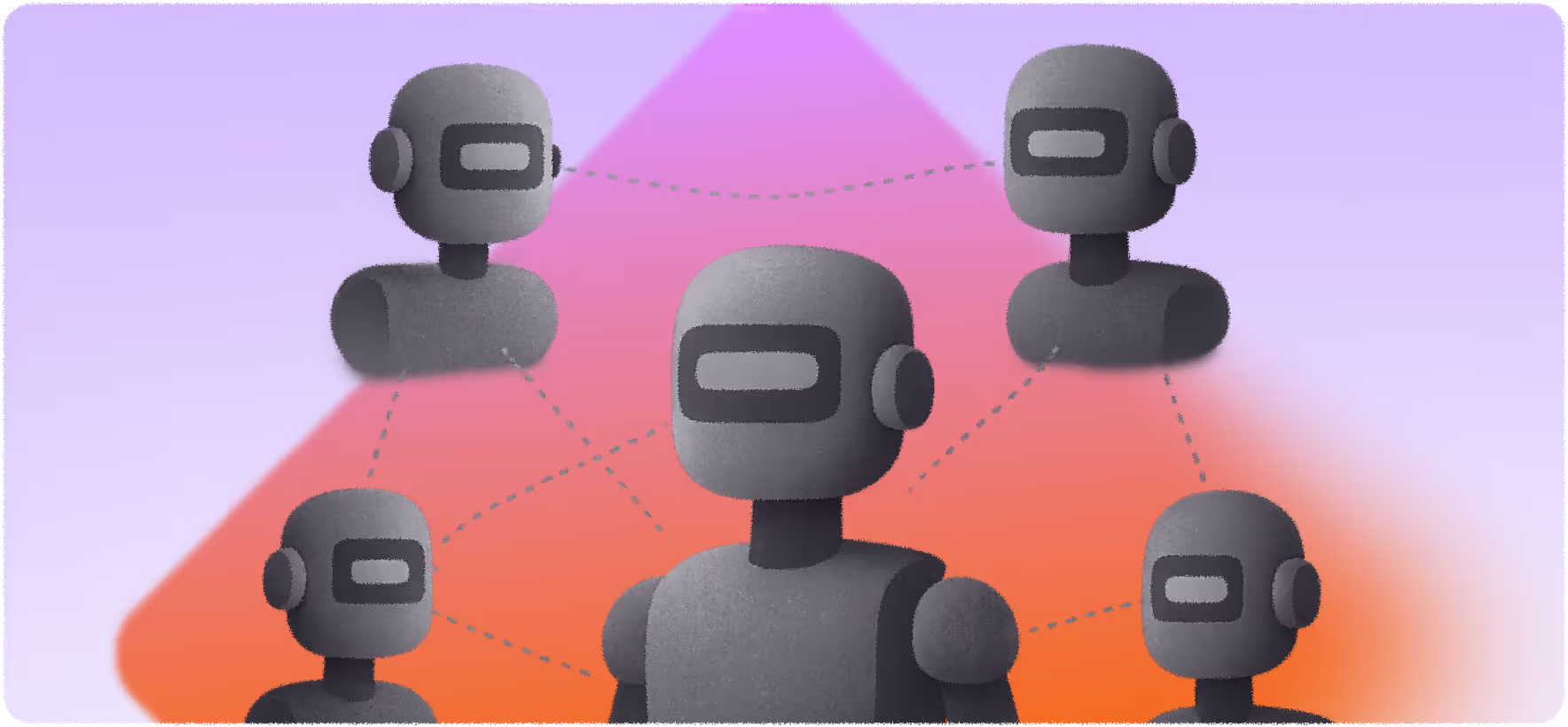
AI gets agentic and that changes the math
The technology has genuinely shifted under everyone's feet. The first wave of AI in ITSM was generative: summarize this ticket, suggest a knowledge article, draft a response for an agent to review and send. Helpful? Sure. But it was still a human doing the work with a slightly better copilot. The ROI was real but modest — a few minutes saved per ticket, a slightly faster first response.
Agentic AI is a fundamentally different proposition. It doesn't suggest, it acts. It resolves the password reset, provisions the software access, triages the hardware request, follows up with the employee, and closes the ticket. End to end. No human in the loop for the routine stuff. That's not an incremental improvement. That's the difference between shaving minutes off repetitive work and eliminating the repetitive work entirely.
In most IT organizations, a significant chunk of service desk volume is what nobody would describe as fulfilling: VPN troubleshooting, onboarding checklists, status updates on open tickets. It's necessary work, but it's the kind of work that burns out good people and makes it harder to retain talent. The fact that this work can now be reliably automated — not theoretically, not in a demo, but in production — is a genuine inflection point that organizations should be paying attention to.
But not all "agentic AI" is the same — and this distinction matters more than vendors want you to notice. True agentic AI requires a unified data layer that agents can reason across without being told which context they're in. Most enterprise platforms evolved before AI existed: they were built as collections of modules (ITSM, ITAM, HR, ITOM), each with its own data schema, its own AI layer, and its own scope. An agent built in one module genuinely cannot access data or capabilities in another without brittle API calls. The result is what practitioners describe as "scope switching" — you have to first navigate to the right module, establish context, and then invoke the agent. That's not agentic. That's a chatbot with extra steps. Natively AI-built platforms eliminate this: there's no scope change because the orchestrator always has context across the entire data model. You ask one question, in one place, and the system figures out what it needs to do and where.
"In the past, HR managed human workers, but the CIO is now the executive best positioned to manage the AI agents who will perform this new 'body of work'. Because AI is so transformative, the CIO must work across every function to determine which tasks should be handled by humans and which by agents, orchestrating them in a way that ensures one plus one is equal to three."
- Vishal Gupta, Global CTO & CPO at GoGuardian
Source: Atomic Conversations
All tickets tend to fall into three categories based on complexity and AI capability today:
Deflectable work: Knowledge queries and basic requests that AI can handle autonomously today. Examples include: Password resets, "how do I" questions, account unlocks, VPN troubleshooting, printer setup, KB article lookups, software installation guides, basic access requests.
Automatable work: Multi-step workflows requiring orchestration across systems. Examples include: Access provisioning across multiple systems, onboarding/offboarding workflows, software license assignment, change requests with approvals, asset procurement, cross-system data updates, distribution list management.
Expert work: Complex problem-solving that requires human judgment and expertise. Examples include: Architecture decisions, custom application troubleshooting, security incident investigation, infrastructure design, vendor escalations, novel problems without documented solutions, root cause analysis for systemic issues.
Platform selection should optimize for moving work up this curve.
- Reactive IT should prioritize deflecting the 40-50% of tickets that are simple questions and requests. At Reactive IT, every ticket deflected saves 15-30 minutes of agent time. At 1,000 deflectable tickets/month, that's 250-500 hours reclaimed.
- Structured IT should invest in workflow automation to eliminate manual handoffs. At Structured IT, every automated workflow saves 10-20 minutes per execution.
- Optimized IT should focus on composability, ESM scale, and advanced capabilities that support strategic work. At Optimized IT, the value shifts from cost reduction to capacity creation, enabling strategic initiatives that weren't possible when agents were firefighting.
Beyond maturity, your #1 business objective should determine which platform capabilities matter most.
|
| Reactive IT | Reduce ticket volume | Simple AI deflection, fast implementation, low admin overhead |
| Reactive IT | Improve employee experience | Slack/Teams-native, consumer-simple UX, mobile-first |
| Structured IT | Reduce ticket volume | Production-ready AI with proven deflection rates, workflow automation |
| Structured IT | Scale without headcount | ESM capabilities, low-code workflows, strong integrations |
| Optimized IT | Modernize tech stack | API-first, composable, federated architecture |
| Optimized IT | Demonstrate ROI | Transparent TCO, consumption analytics |
This doesn't mean the technology is magic. It still requires good knowledge, clean processes, and thoughtful implementation. But the ceiling on what AI can handle autonomously has moved dramatically, and organizations that wrote off AI after a failed chatbot pilot in 2022 should take another look — the underlying technology isn't the same.
That said, the argument "this time it's different" is exactly what every vendor said last time, too. You won't win this battle internally with vendor slides or analyst quotes.
Vendors use "AI-native" freely enough that it has lost meaning. Here's a working definition: a platform is AI-native if its data and AI layers are integrated, not a data layer with an AI layer stacked on top.
Why does this matter? Because agents can only reason reliably over data they have full context on. When a platform grows by adding modules over time, each module typically owns its own data schema. Agents built in that environment can only see their module's data — they're not confused, they're just blind to everything else. Meaningful orchestration across functions (IT + HR + Finance) becomes structurally impossible, not just technically difficult.
A simple test: ask any vendor to show their agent handling a request that touches two different departments — say, an onboarding request that requires both IT access provisioning and an HR policy lookup. Watch whether the agent does this in a single conversation, or whether the demo requires switching views, modules, or contexts. That moment tells you more than any feature comparison table.
From AI feature lists to AI economics and ROI
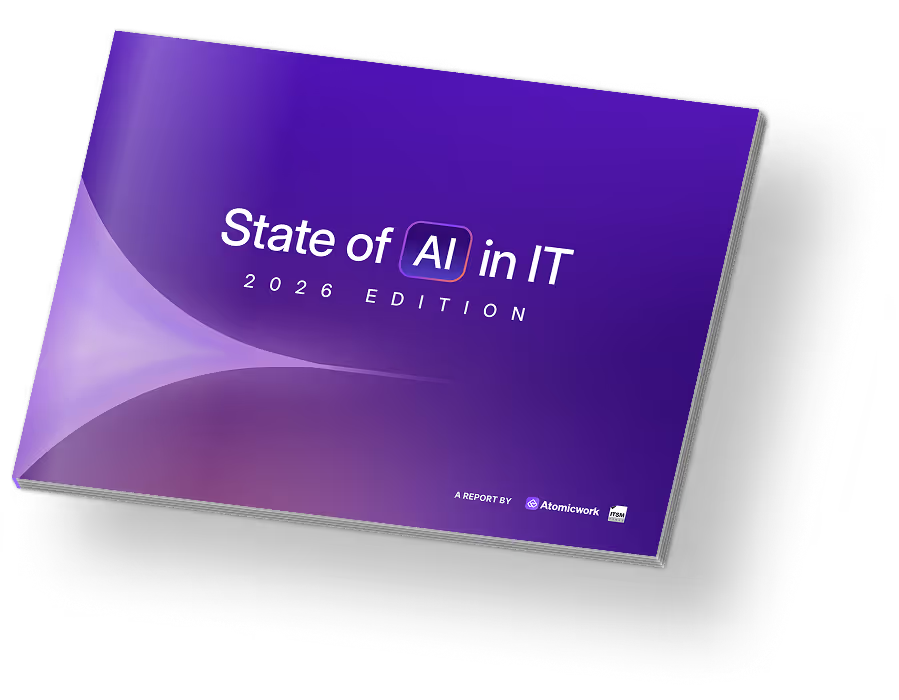
The focus in ITSM has shifted decisively from AI feature lists to AI economics and ROI, according to the State of AI in IT 2026 report by Atomicwork and ITSM.tools.
82%
of IT professionals say their organizations have realized
value from their AI investments
67%
describe their AI ROI as positive
Continuing a 2024 trend, organizations that trust AI invest more and deploy a deliberate strategy. This results in positive ROI, which reinforces the trust, leading to a flywheel effect. When we looked at where businesses anticipated the biggest benefits from AI, we noticed a shift from focusing on cost to employee/customer experience and productivity gains, implying alignment with business outcomes and impact. The implication is clear: IT leaders are no longer asking "Does it have AI?" but rather "What value does its AI bring to the table?"
This shift ties in with consumption-based AI pricing models creating budget uncertainty that procurement teams now call the most unpredictable cost component in enterprise contracts. Unlike per-user licensing where costs scale linearly, AI consumption varies based on adoption velocity, feature usage patterns, and vendor-defined assist or conversation definitions that differ across platforms — making it nearly impossible to forecast Year 2 spending during Year 1 budget planning.
Success requires more than technology
Organizations seeing value from AI in ITSM are achieving transformational results, but success requires more than technology. The State of AI in IT 2026 data substantiates this adoption reality:
2/3
IT professionals surveyed use AI in at least one service management function
1 in 5
organizations, have fully embedded AI across all service management teams like IT, HR, Finance, etc.
The differentiator lies not in the AI model but its data quality, knowledge management maturity, and willingness to redesign processes rather than automate broken workflows.
In a story close to home, Zuora's digital workplace team won a 2025 Gartner Eye on Innovation Award after cutting ticket volume by over 50% and earning recognition for their strategic use of AI to improve employee experience. Their success came from reimagining workflows with partners like Atomicwork, Okta, and Tray, not bolting AI onto legacy systems.
ITSM gets more lightweight
The lightweight ITSM movement has gained momentum as organizations question both whether enterprise platforms deliver proportional value and which ITIL constructs they actually need.
"Enterprise IT is extremely complicated and has too many dependencies on old ways of working, which makes it difficult to achieve world-class experiences. But newer technologies are now very intuitive — they empower the user and allow you to shape what you want the technology to be."
- Gopalratnam VC, Executive Vice President and Global CIO at Philips
Source: Atomic Conversations
IT leaders influenced by DevOps, SRE, and agile methodologies are challenging decades-old assumptions:
- Do we need formal change advisory boards when we deploy code 50 times a day?
- Do rigid incident categorization taxonomies make sense when AI can route intelligently?
- Is a comprehensive CMDB that requires manual surveys and updates essential, or can we federate asset data across specialized tools?
This has created a strategic fork: invest in enterprise ITSM with all its process overhead and cost, or adopt "good enough" approaches - simpler platforms, adapted productivity tools, or lightweight solutions that trade ITIL comprehensiveness for speed and ease of use. In an era of budget scrutiny, IT leaders increasingly prefer directing spend toward automation that reduces workload rather than purchasing platforms that require dedicated administrators, extensive training, and ongoing customization. Meanwhile, two major Q4 2025 acquisitions — ServiceNow's $2.85B purchase of Moveworks and Automation Anywhere's acquisition of Aisera — eliminated prominent AI-native alternatives, further reducing options for organizations seeking modern platforms without enterprise complexity.
2
Key features and capabilities to consider
After analyzing hundreds of practitioner discussions from Reddit's r/sysadmin and r/ITManagers, customer reviews on G2, TrustRadius, and Gartner Peer Insights, and industry surveys through early 2026, a clear pattern emerges: IT teams don't need more features, they need tools that work the way they actually work. The most common frustrations aren't about missing capabilities; they're about complexity that slows teams down, hidden costs that blow budgets, and AI promises that don't deliver.
Pricing opacity and hidden costs remain the industry's dirty secret
ServiceNow licensing represents a big chunk of total cost of ownership - implementation, consultants, and ongoing customization add 3-5x the annual license fee. Mid-market alternatives offer transparent pricing but gate critical features behind premium tiers or impose transaction limits that force upgrades. AI capabilities increasingly carry per-resolution fees that create unpredictable costs. The pattern across all platforms: the price you see is not the price you'll pay.
"Budget realistically and think beyond MVP. We coined this a 'P1 project,' referencing the ratio of MVP effort to full implementation: roughly 3.1415 times the initial scope. We monitor each track individually and assess the long-term financial impact of activating AI features. Our business case for AI is centered on cost reduction, not additive spend, ensuring that automation delivers measurable value."
- A Director of Infrastructure and Operations on Gartner Peer Insights
Buyers consistently reward ease of use over feature depth
Platforms that earn the highest satisfaction scores earn them not because they're the most powerful, but because teams actually use them. One G2 reviewer captured this directly in their criticism of an ITSM vendor leader:
"...powerful but could improve by simplifying configuration."
The most successful ITSM implementations prioritize tools teams will adopt over platforms with impressive but underutilized capabilities. The real evaluation question isn't "What can this platform do?" but "What will my team actually use 12 months from now?"
| Feature |
Core |
Optimized |
Differentiated |
| Knowledge |
Knowledge base creation |
Content lifecycle management |
AI-enabled knowledge discovery |
| Article search |
Multi-source connectors (SharePoint, Confluence, etc.) |
Trusted web search |
| Basic categorization |
Article analytics & feedback |
Conversational knowledge retrieval |
| Request management |
Virtual support agent (decision trees) |
AI-enabled agent advisory |
Autonomous AI agents |
| Suggested article responses |
Suggested actions |
Agentic action execution |
| cell |
Sentiment analysis |
Self-improving models |
| cell |
Ticket summarization |
Cross-system AI reasoning |
| Self-service |
Employee portal |
Personalized portal |
Conversational, multichannel experience |
| Service catalog |
Virtual agent discovery and support |
Proactive incident detection |
| Basic chatbot |
GenAI for content generation |
Multimodal support experience |
| FAQs |
AI-powered automations |
Autonomous agentic workflows like IGA |
| Feature |
Core |
Optimized |
Differentiated |
| Incident and request management |
Ticket creation & tracking |
Automated incident response |
Predictive resolution suggestions |
| Multichannel intake (email, portal) |
Intelligent routing & prioritization |
Proactive incident detection |
| Basic SLA tracking |
Observability integrations like Datadog, Splunk, New Relic, Dynatrace, PagerDuty, etc |
Collaborative support hub with where experts collaborate in real-time like Slack/Teams channels that spin up automatically for major incidents |
| Asset & CMDB |
IT asset inventory |
Automated asset discovery |
Federated configuration management |
| Manual asset tracking |
Intelligent routing & prioritization |
AI-powered dependency mapping |
| Basic lifecycle management |
Dependency mapping |
Predictive asset health |
| cell |
Software license tracking |
Auto-reconciliation |
| Change management |
Change request workflows |
Release management |
cell |
| Change calendar |
Risk assessment scoring |
AI suggested change windows |
| Basic approval routing |
CAB workflow support |
Automated impact analysis |
| cell |
Change collision detection |
Self-service standard changes |
| Problem management |
Problem record management |
Root cause analysis workflows |
AI pattern detection |
| Known error database |
Incident-to-problem linking |
Predictive problem identification |
| Manual trend identification |
Post-incident review templates |
Automated root cause correlation |
| Workflows |
Basic workflow rules |
AI-powered workflows |
Natural language workflow creation |
| Feature |
Core |
Optimized |
Differentiated |
| Department templates |
IT service delivery |
HR (onboarding, offboarding, benefits, leave, policy) |
Full enterprise coverage |
| Single-department request handling |
Multi-department routing |
Orchestrated journeys |
| Manual handoffs between teams |
Parallel task assignment |
Employee onboarding across IT + HR + Facilities + Finance |
| Sequential approvals across departments |
Offboarding with automated revocations, equipment collection, final pay |
Automated dependencies (Facilities task waits on HR task completion) |
| Basic role-based access |
Private workspaces per department |
Granular confidentiality controls |
| Generic request forms |
Pre-built templates by department |
Department-specific service design |
| One-size-fits-all workflows |
Customizable catalogs per team |
No-code workflow creation for business users |
| Uniform SLAs across all requests |
Department-specific SLA definitions |
Outcome based measurement for every department |
| Analytics |
Standard ITSM dashboard |
AI & automation reports |
Employee experience dashboard |
3
Security and compliance

Your ITSM platform contains more sensitive data than most organizations realize: employee identities, access privileges, hardware inventories, HR cases, org structures, and credentials for integrated systems. As ITSM expands into ESM, the sensitivity increases - employee relations cases, salary information, and financial data all flow through the platform. Add AI to the mix and new questions emerge:
- Where is data processed?
- Is your data training models that serve other customers?
Security and compliance aren't checkboxes. They're foundational to whether you can trust this platform with your organization's data. At minimum, expect SOC 2 Type II certification (not Type I, which only validates a point in time), encryption at rest and in transit, SSO with MFA enforcement, and SCIM provisioning for automated user management. For regulated industries, verify specific compliance: HIPAA requires a BAA, GDPR requires a Data Processing Agreement and regional data residency, SOX requires audit trails for change management. Don't accept "compliant" as a marketing claim - ask for the actual audit reports and documentation.
AI introduces new security dimensions that traditional ITSM evaluation didn't address. A new certification standard, ISO 42001, has been introduced to standardize vendor claims.
Must-ask questions
Is your data used to train models that serve other customers? For regulated industries or sensitive data, you need explicit confirmation of account-level isolation.
Where does AI processing happen?
Do audit logs cover AI interactions and not just traditional platform activity?
4
Total cost of ownership
The price on the quote is not the price you'll pay. ITSM total cost of ownership typically includes five components, and licensing is often the smallest.

Implementation
Configuration, data migration, integrations, testing

Administration
Dedicated headcount, configuration changes, upgrades

Add-ons
AI features, premium support, transaction limits, custom apps

Licensing
Per-agent or per-user fees, tier-based pricing

Training
Admin certification, agent training, end-user adoption
Consultant dependency. Some platforms are simple to implement but complex to maintain. If every workflow change requires a specialist, you're paying ongoing consultant fees or hiring dedicated administrators. Ask: "What does a typical customer's admin team look like after Year 1?"
Transaction and consumption limits. Orchestration transactions, API calls, AI resolutions, and asset counts often have caps that force tier upgrades. A workflow that runs 1,000 times monthly sounds fine until you realize your tier caps at 500. Map your expected usage to tier limits before signing.
AI pricing models. Three models exist, each with different risk profiles:
|
| Included | AI features bundled in tier pricing | High - fixed cost |
| Per-agent add-on | Flat fee per agent for AI capabilities | Medium - scales with team size |
| Per-resolution/conversation | Pay per AI interaction | Low - varies with adoption |
Per-resolution pricing creates an interesting incentive: the more successful your AI deployment, the higher your costs. Organizations report 30-50% budget variance in Year 2 when consumption exceeds projections.
Questions to pin down TCO
What's the all-in Year 1 cost, including implementation?
What are the transaction/usage limits? What happens when we exceed them?
What's the typical Year 2 renewal increase? Can we cap it contractually?
Which features require add-on pricing beyond our tier?
What does your average customer spend on professional services annually?
5
Implementation expectations

"To successfully lead an AI transformation, IT leaders must prioritize patience as models stabilize, ensure a secure and accurate knowledge base to prevent inaccuracies, and find a strategic partner whose vision is deeply aligned with their own to jointly navigate this learning journey."
- Sangeeta Roy, VP of Digital Work Experience, Zuora
Source: Atomic Conversations
Implementation timelines vary dramatically by platform category and organizational complexity. Setting realistic expectations prevents frustration and failed deployments.
What drives up implementation time?

Platform complexity
Enterprise platforms offer deep configurability - which means more decisions, more configuration, more testing. The same flexibility that enables customization extends timelines.

Process readiness
Organizations with documented, consistent processes implement faster. If your ITSM processes exist only as tribal knowledge, implementation includes process definition, regardless of platform.

Integration scope
Single sign-on takes days. Deep bidirectional integrations with HRIS, Active Directory, and business applications take weeks each. Map integration requirements before estimating timelines.

Data migration
Migrating ticket history, asset data, and knowledge bases adds complexity. Define what must migrate versus what can start fresh.

Change management
Technical deployment is often faster than organizational adoption. Plan for training, communication, and the cultural shift of changing how people get help.
Implementation models
|
| Self-service | Your team implements using documentation and support | Simple requirements, technical team available, budget-conscious |
| Guided implementation | Vendor provides structured onboarding with your team doing the work | Standard requirements, some technical capability, want knowledge transfer |
| Professional services | Vendor or partner does implementation | Complex requirements, tight timelines, limited internal capacity |
| Managed services | Ongoing vendor management post-implementation | No desire for internal admin capability, predictable ongoing costs preferred |
30-60-90 day expectations
If a vendor can't articulate what's achievable in 30 days, their implementation timeline is likely longer than quoted.
30 days
Core configuration, SSO integration, basic ticket workflows,
pilot team live

60 days
Primary integrations, knowledge base migration, workflow automation, broader rollout
90 days
Advanced automation, ESM expansion, reporting refinement, optimization based on usage data
6
Migration

Switching ITSM platforms is a significant undertaking. Organizations that plan migrations deliberately avoid common pitfalls.
What to migrate vs. what you can start fresh with?
|
| Open tickets | ✅ Yes | Active work must transfer; map status and priority fields |
| Closed ticket history | ✅ Yes | Useful for trends and for the Assistant to learn from (if this is a capability) |
| Knowledge base | ✅ Yes, selectively | Opportunity to prune outdated content; migrate what's actively used |
| Asset inventory | ✅ Yes | Verify accuracy first; migrating bad data perpetuates problems |
| Workflows & automations | ⏳ Rarely | Opportunity to redesign, not replicate broken processes |
| Reports & dashboards | ❌ No | Rebuild to leverage new platform capabilities |
| User data | ✅ Yes | Typically synced from identity provider, not migrated |
The replication trap: The instinct is to recreate your current setup in the new platform. Resist this. Legacy workflows often encode workarounds for old platform limitations. Migration is an opportunity to ask: "Is this how we should work, or just how we've always worked?"
7
ROI and building a business case
"The role of IT is to be that connection between business problems and technology solutions, and AI makes it even more important in this age because what we do never changes. Now with AI, it's just a new tool in our toolbox to solve business problems with."
- Karl Mosgofian, former CIO of Gainsight

Source: Atomic Conversations
Justifying ITSM investment requires translating platform capabilities into business outcomes. Here's how to frame the case for stakeholders.
The three value levers
Cost reduction
Time savings from deflection and automation
Reduced escalations and rework
Lower platform TCO vs. current solution
Decreased reliance on external consultants or MSPs
Capacity creation
Agents focusing on strategic work vs. repetitive tasks
Faster onboarding of new employees
Reduced backlog and wait times
Experience improvement
Improved perception of IT as strategic partner
Time-to-resolution from employee perspective
Reduction in "shadow IT" and workarounds
Improved perception of IT as strategic partner
Quantifying the opportunity
Deflection value
- Identify % of tickets that are deflectable (password resets, how-to questions, status checks)
- Estimate time per ticket (typically 10-20 minutes including overhead)
- Calculate: (Deflectable tickets/month) × (Minutes/ticket) × (Agent cost/minute) = Monthly savings
Example: 500 deflectable tickets × 15 minutes × $0.75/minute = $5,625/month = $67,500/year
Automation value
- Identify workflows currently requiring manual handoffs
- Estimate time per workflow execution
- Calculate similarly to deflection
Experience value (harder to quantify but often more important)
- Employee productivity lost waiting for IT
- Attrition risk from frustration with internal tools
- IT reputation impact on strategic initiatives
8
Overcoming org resistance to AI
"AI adoption happens at the speed of trust, and it will not scale if it is not governed from the start. We must stop treating AI agents like traditional software and start treating them like actors and decision-makers, ensuring every implementation maps to real business outcomes rather than just chasing the 'new'. Remember: performance without reliability doesn't scale, so move beyond logic-based planning and design AI for the distracted, pressured, and real-world humans you actually have."
- Hannah Darley, Chief AI officer at Geordie AI
Source: Atomic Conversations
Here's what most buyer's guides won't tell you: the hardest part of adopting AI-native ITSM has nothing to do with the technology. It's the internal dynamics that quietly kill modernization projects before they ever get a fair shot. Understanding these blockers upfront, and planning for them, is the difference between a successful rollout and a shelfware license renewal you'd rather not explain to Finance.
"We already have a system that works"
This is the most common and most dangerous form of resistance because it sounds reasonable. But "working" and "working well" are different things, and the status quo has a powerful gravitational pull. The people most likely to say this are the ones who've invested years learning the current platform's quirks, building custom workflows, and becoming the team's go-to expert. And in a guide that talks about "deflecting 60-70% of requests" and "reducing manual workload by 2-3 FTE per 1,000 employees," it's disingenuous to pretend that concern is irrational.
The honest answer is also nuanced. Agentic ITSM doesn't typically eliminate service desk roles — it changes them. The repetitive, low-complexity work (password resets, access requests, status inquiries) gets deflected. What remains is higher-complexity, more interesting work: investigating root causes, designing better workflows, managing vendor relationships, and handling the sensitive situations that require judgment and empathy. But that reassurance only lands if leadership actually commits to it. The organizations that succeed with AI adoption are the ones that explicitly communicate: "We're not eliminating roles. We're eliminating the work nobody wanted to do so you can focus on the work that matters."
Some practical steps: involve service desk agents in the AI training and tuning process from day one. Celebrate when deflection rates go up by highlighting what the team is now able to focus on instead. Create new responsibilities — AI performance monitoring, knowledge curation, experience improvement — that give people a stake in the system's success rather than a reason to undermine it.
Management pushback: the accountability gap
Mid-level managers often resist AI adoption for a reason nobody talks about in vendor presentations: accountability. If a human agent mishandles a request, there's a clear chain of responsibility. If an AI agent deflects a request incorrectly, who owns it? The IT director who approved the tool? The admin who configured the workflow? The vendor?
Address this directly by establishing clear ownership and escalation paths before launch. Define what the AI handles, what gets escalated, and who reviews edge cases. Build in a human-in-the-loop layer for sensitive request categories during the first 90 days. And most importantly, agree on how AI errors will be treated — as system issues to fix, not blame to assign.
The "we tried AI before and it didn't work" hangover
What works is a contained proof of value. Pick one high-volume, low-risk workflow — password resets is the classic starting point — and run it for 30 days. Measure deflection rate, employee satisfaction, and time-to-resolution against the old process. Let the results speak. If the AI handles it well, you've earned the credibility to expand. If it doesn't, you've learned something valuable at low cost.
Building a coalition, not just a business case
The organizations that successfully adopt AI-native ITSM don't rely on a single champion pushing the initiative uphill. They build a coalition; an executive sponsor who provides air cover, a technical lead who configures and tunes, a process owner from each department who validates workflows and critically, a few vocal end users who can speak to the experience from the other side of the service desk. Start identifying these people before you start evaluating platforms. A buyer's guide can help you choose the right technology. Only your people can make it stick.
A practical test
Before committing to any AI-native ITSM platform, ask your team three questions. First: can we document our top 30 request types and their resolution steps within two weeks? Second: do we have an executive who will personally advocate for this change in leadership meetings? Third: are we willing to measure success over 90 days rather than expecting transformation in week one? If you answered no to two or more, focus on building those foundations first. The platform will still be here when you're ready.
9
What to ask your ITSM & ESM vendor

What percentage of your customers have AI features in production (not pilot)?
Can you show me the Agent handling a request it's never seen before - live?
What's the deflection rate for customers similar to our size/industry?
When the agent gets it wrong, how does agent correction improve future responses?
Show me what happens when AI can't handle a request - the full handoff.
What can the agent actually do versus just answer?
How is your agent priced - included, per-agent, or per-resolution?
What are the orchestration/transaction limits at our tier?
Can you build a 5-step approval workflow in this meeting?
What's automated out-of-box versus requiring custom development?
What percentage of your customers have AI features in production (not pilot)?
Can you show me the Agent handling a request it's never seen before - live?
What's the deflection rate for customers similar to our size/industry?
When the agent gets it wrong, how does agent correction improve future responses?
Show me what happens when AI can't handle a request - the full handoff.
What can the agent actually do versus just answer?
How is your agent priced - included, per-agent, or per-resolution?
What are the orchestration/transaction limits at our tier?
Can you build a 5-step approval workflow in this meeting?
What's automated out-of-box versus requiring custom development?
How do employees access their portal?
How do employees describe requests - forms, menus, or natural language?
What happens if our knowledge base is incomplete or outdated?
How does a ticket connect to the asset, user, and affected service?
What does the Slack/Teams integration actually do?
Can I see actual out-of-box dashboards, not screenshots?
How do I measure employee experience, not just SLA compliance?
How do employees access their portal?
How do employees describe requests - forms, menus, or natural language?
What happens if our knowledge base is incomplete or outdated?
How does a ticket connect to the asset, user, and affected service?
What does the Slack/Teams integration actually do?
Can I see actual out-of-box dashboards, not screenshots?
How do I measure employee experience, not just SLA compliance?
What certifications do you hold?
Where is data stored? Can we choose the region? What about AI processing?
How is data encrypted? Who holds the keys?
What's your data retention policy? Can we configure it?
How do you handle data deletion at offboarding?
What audit logs are available? Can we export to our SIEM?
What's your security incident notification SLA?
What access do your employees have to our data?
Do you support our SSO provider and MFA enforcement?
Is our data used to train AI models?
What certifications do you hold?
Where is data stored? Can we choose the region? What about AI processing?
How is data encrypted? Who holds the keys?
What's your data retention policy? Can we configure it?
How do you handle data deletion at offboarding?
What audit logs are available? Can we export to our SIEM?
What's your security incident notification SLA?
What access do your employees have to our data?
Do you support our SSO provider and MFA enforcement?
Is our data used to train AI models?
Enterprise Service Management

Which departments beyond IT use your platform today - with real numbers?
Can HR admins build workflows without IT involvement?
How do you handle confidential HR cases that IT shouldn't see?
Show me an onboarding workflow across IT, HR, Facilities, and Finance.
What happens when a cross-functional workflow step fails or stalls?
What pre-built templates exist for HR, Finance, Legal, Facilities?
Can each department define their own SLAs?
Enterprise Service Management
Which departments beyond IT use your platform today - with real numbers?
Can HR admins build workflows without IT involvement?
How do you handle confidential HR cases that IT shouldn't see?
Show me an onboarding workflow across IT, HR, Facilities, and Finance.
What happens when a cross-functional workflow step fails or stalls?
What pre-built templates exist for HR, Finance, Legal, Facilities?
Can each department define their own SLAs?

10
About Atomicwork
The team behind Atomicwork has spent decades building ITSM platforms. For 2 out of our 3 founders, this is the third service desk platform they’ve built. We've seen what works, what doesn't, and what frustrates both the IT professionals managing these systems and the employees trying to get help. With the advent of AI, we decided to try a different approach.
Meet employees where they work
The traditional ITSM model asks employees to stop what they're doing, navigate to a portal, find the right form, fill out fields, and wait. This made sense when IT systems were the center of the universe. It doesn't make sense when employees live in Slack and Teams.
Atomicwork brings service management to where employees already are. An employee should be able to say "I need Salesforce access" in the browser, Slack, Teams, portal or email, and have that request understood, routed, approved, and fulfilled - and without the employee or the system needing to know in advance whether this is an IT request, an HR policy question, or a cross-functional workflow. One agent. Full context. No scope switching.
Think in work categories, not ticket queues
Not all work is the same, and treating it the same is why most ITSM implementations underdeliver.
Most ITSM platforms treat everything as expert work by default - create a ticket, assign to a human, wait for resolution. The result: skilled IT professionals spend their time on password resets and "how do I connect to VPN" while genuinely complex issues wait in queue.
Atomicwork is designed to maximize deflection and automation so that expert work gets expert attention. When an employee asks a question, the system's first goal is to resolve it - not to create a ticket for someone else to resolve.
Employee experience is the metric that matters
Traditional ITSM measures what's easy to measure: ticket volume, response time, resolution time, SLA compliance. These metrics optimize for throughput, not experience. An employee whose laptop is broken doesn't care that IT "responded" in 15 minutes if the response was "we've assigned this to the hardware team." They care about having a working laptop. Atomicwork is built around employee experience as the primary outcome. That means:
- Measuring time-to-resolution from the employee's perspective, not internal handoff metrics
- Understanding satisfaction with the outcome, not just the interaction
- Tracking work that never became a ticket because it was resolved instantly
We believe the best IT experience is one employees don't notice - things just work, access appears when needed, issues resolve before they escalate.
When to consider Atomicwork
Atomicwork isn't the right fit for every organization. Here's how to determine if it aligns with your needs.
|
✅ You prioritize employee experience over process compliance ✅ You want AI that resolves work, not just assists ✅ You are ready to rethink workflows, not just replicate them ✅ You want to provide support in the flow of work | ❌ Event management, infrastructure monitoring, and AIOps are central to your needs ❌ You need extensive on-premises deployment ❌ You are not prioritizing AI automation projects |
See Agentic ITSM in action

Get a personalized walkthrough based on your maturity levels and goals
Sign up for a demo today