Network Ops Engineer
Keeps your network reachable.
Reports to
 Ryan Caldwell, Director of Network Engineering
Workspace
NETWORK OPS (IT)
Budget
$175/MO
Skills
URL filtering
DNS, DHCP & IPAM
+4
Works in




The AI Coworker that oversees live network operations, VPN slowdowns, private-app access, and IP address hygiene, so your business is always online and work keeps moving.
Keeps your network reachable.
Reports to
Ryan Caldwell, Director of Network EngineeringWorkspace
Budget
Skills
Works in





Blocked URLs, private-app access and path slowdowns
Gateway policies and DNS zones in one pass

Synthetic checks that show when an app went dark

Device and flow telemetry behind every path finding

Private-app access history from ZPA logs
Firewall rule hits and GlobalProtect VPN health
Slow VPN, a site that won’t load, an app that’s down for one office. The Network Ops Engineer finds the layer at fault and lines up the fix.
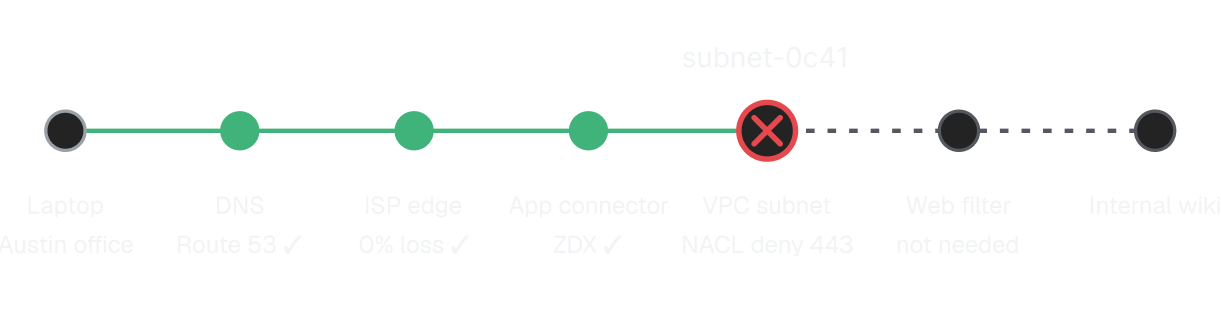


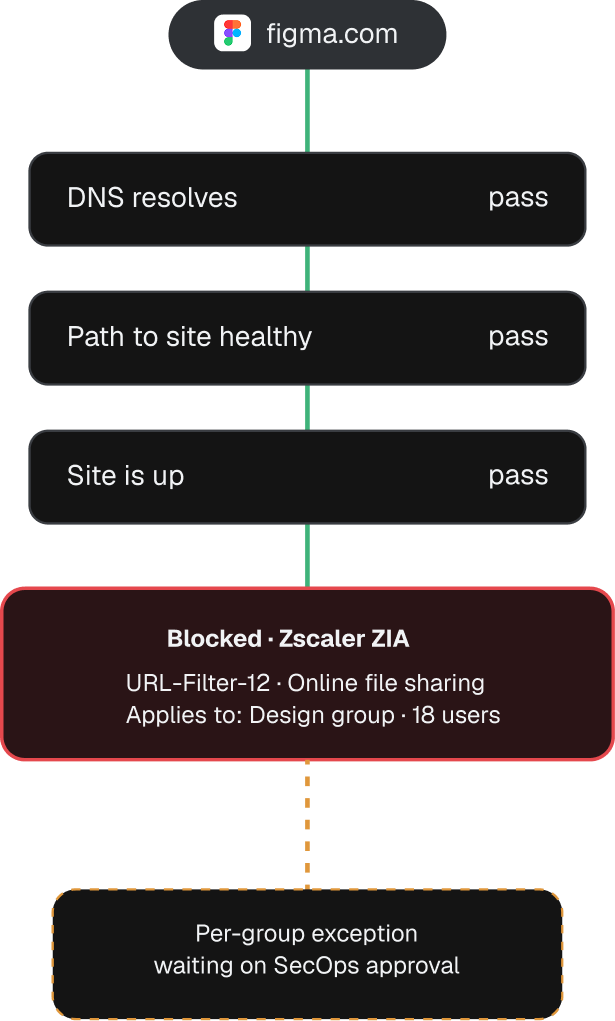
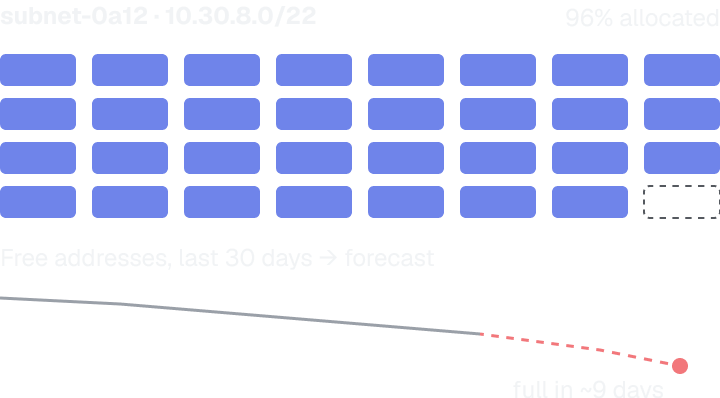

Each finding names the broken layer and the exact record or rule behind it, plus a fix the Network Ops Engineer can make once you approve.
Watch the Network Ops Engineer gathers in minutes the evidence that would take an engineer hours, and get users back to work sooner.





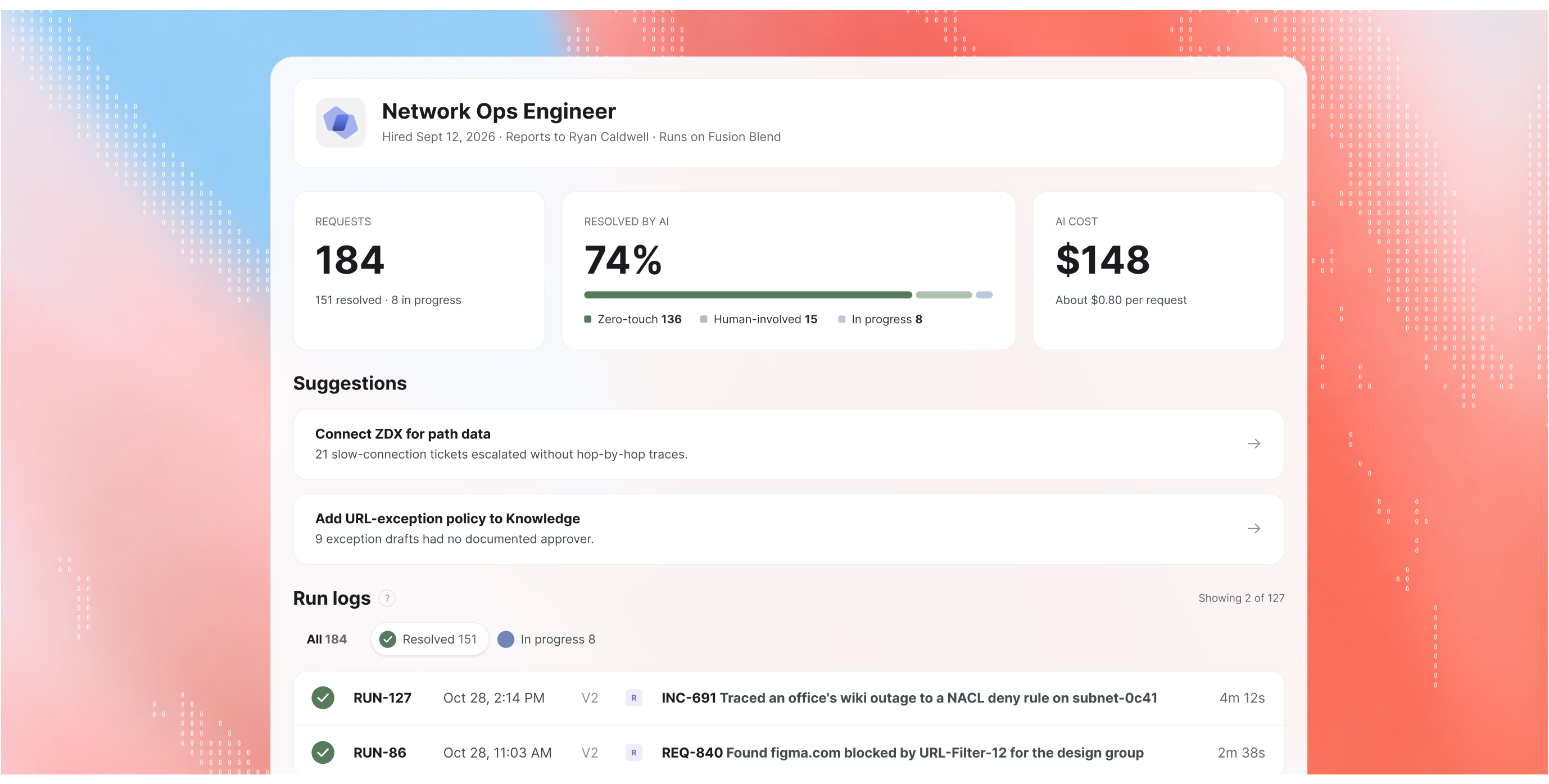

Reporting manager
All escalations route through them. Adjust scope and permissions anytime.
Budget controls
Monthly spend cap with full cost-per-investigation visibility. Every dollar accounted for.
Audit trail
Every action logged with full context. See what it checked, found, and skipped.
Drift detection
Flags when behavior drifts from your rules. Patterns surface before they become problems.
If the fault is on a laptop, in a cloud account or in a security policy, the ticket moves to the Coworker who owns it.




It connects to Zscaler (Internet Access, Private Access and Digital Experience), Cloudflare, AWS, Datadog and New Relic, with Rapid7 and Netskope coming soon. Before every investigation, it checks which of these it can reach and works with whatever you’ve connected.
Only with the right permissions. By default it’s read-only: it drafts the change with evidence attached and routes it through your approval workflow. Once you grant write access, it can make approved changes to DNS records, routes, security groups and filtering rules itself.
No. Malware, phishing, newly registered domain and command-and-control categories stay blocked. For everything else, it drafts the narrowest exception and sends it to SecOps for approval.
Device configs, wireless internals and firewall policy are outside its reach, and it says so before its first finding. When a problem needs them, it hands over what it checked to a human network or security engineer.
It reports to a manager you name, who gets its escalations and can adjust its scope and permissions. It works within a monthly spend cap and logs every action, including what it checked, found and skipped.