
The enterprise guide to digital workers: AI agents as your newest team members
Workplaces didn’t run out of things to automate. They ran out of automation capable of thinking.
Rules-based bots handled the simple stuff well enough, routing tickets, triggering notifications, and moving data between fields. But the moment a process required judgment, context, or action across multiple systems, the bot hit a wall, and a human had to step in.
Digital workers are the industry’s answer to that wall. They’re AI agents that function as virtual team members — receiving requests, reasoning through them, making decisions, and executing actions across multiple systems. BNY Mellon now employs dozens of them, complete with company logins and direct managers.
A note for readers: The concept is still evolving. What the industry broadly calls "digital workers," some platforms now frame as AI coworkers - systems managed with the same dimensions you’d apply to any employee: identity, skills, memory, governance, performance, and budgets. That’s the shift from digital workers as a technology category to an AI workforce as an operating model.
This guide breaks down what digital workers are, how they operate, and what enterprise teams need to know before deploying one.
What are digital workers?
A digital worker is an AI software application that takes on role-based work the way a human employee would. It receives requests, reasons through them, makes decisions, and executes actions across multiple systems, without needing a human to manage each step.
The definition has shifted over time. Earlier, the term described human employees with digital skills. Today, it refers to software-based agents that can independently run complex, end-to-end processes.
What makes them different from older automation is the combination of technologies working together. A digital worker typically brings together robotic process automation (RPA) for task execution, natural language processing (NLP) to understand what people are actually asking, machine learning to improve over time, and analytics to make decisions based on real data. None of these alone gets you to a digital worker.
A few attributes define how digital workers operate in practice.
- Autonomy: They don’t wait for instructions at every step. Given a goal, they figure out how to get there.
- Reasoning: They evaluate context before acting. A password reset request from someone mid-incident gets handled differently than a routine one.
- Memory: They retain context across a conversation, so employees don’t have to repeat themselves.
- Learning: They improve responses based on feedback and interaction history.
- Multi-system operation: They pull from and act across tools like Jira, Salesforce, and your internal knowledge base simultaneously.
Atomicwork’s Atom is a practical example of this in enterprise IT.
Atom operates as a universal AI agent across Slack, Teams, browser, and email. It doesn’t just answer questions, it detects multiple intents from a single message, routes requests to the right system, and resolves issues without pulling an IT agent into every ticket. It reads screen context, interprets images, and adapts its responses to match each organization’s policies and terminology.
Digital workers aren’t tools you configure and forget. They’re contributors that develop a working understanding of your organization over time.
Digital workers vs. AI assistants vs. AI agents
AI assistants answer questions. AI agents execute tasks. Digital workers own processes. The distinction matters when you’re deciding what your enterprise actually needs.
Digital workers carry persistent memory, reason through decisions rather than just executing commands, and operate with the kind of organizational context, your policies, your people, your systems — that makes their output actually useful in an enterprise environment.
How digital workers work
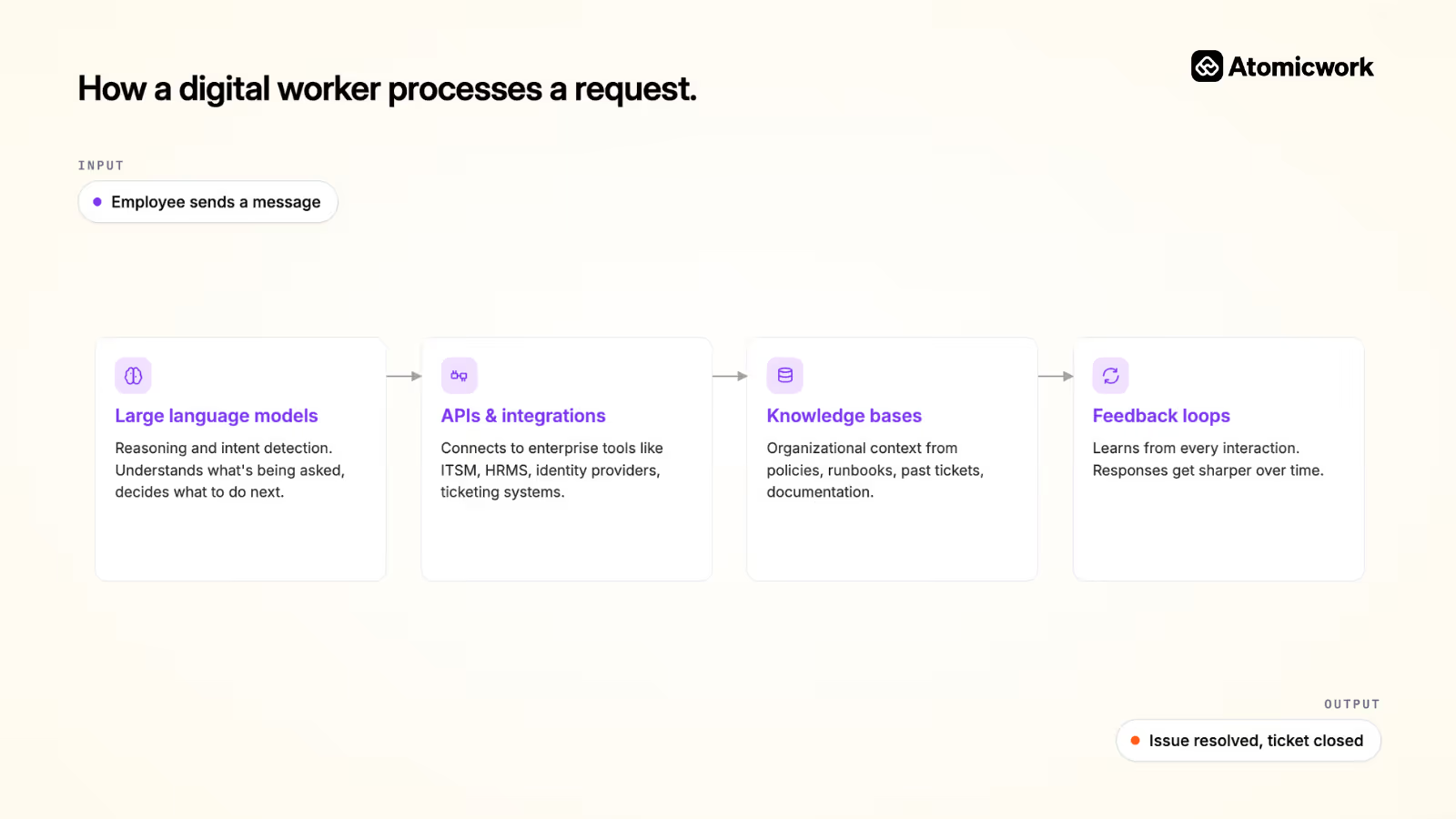
Here’s how digital workers typically function:
- Large language models (LLMs) handle reasoning, understanding what's being asked and deciding what to do next. NLP translates messy, freeform human input into structured intent the system can act on
- APIs connect the digital worker to the tools it needs to actually get things done: your ITSM platform, your HRMS, your identity provider
- Knowledge bases give it organizational context, policies, runbooks, past tickets, documentation.
- Feedback loops let it learn from every interaction, so responses get sharper over time.
What this looks like in practice depends heavily on how an agent is structured. The difference between a digital worker that actually functions like a team member and one that just generates text usually comes down to architecture.
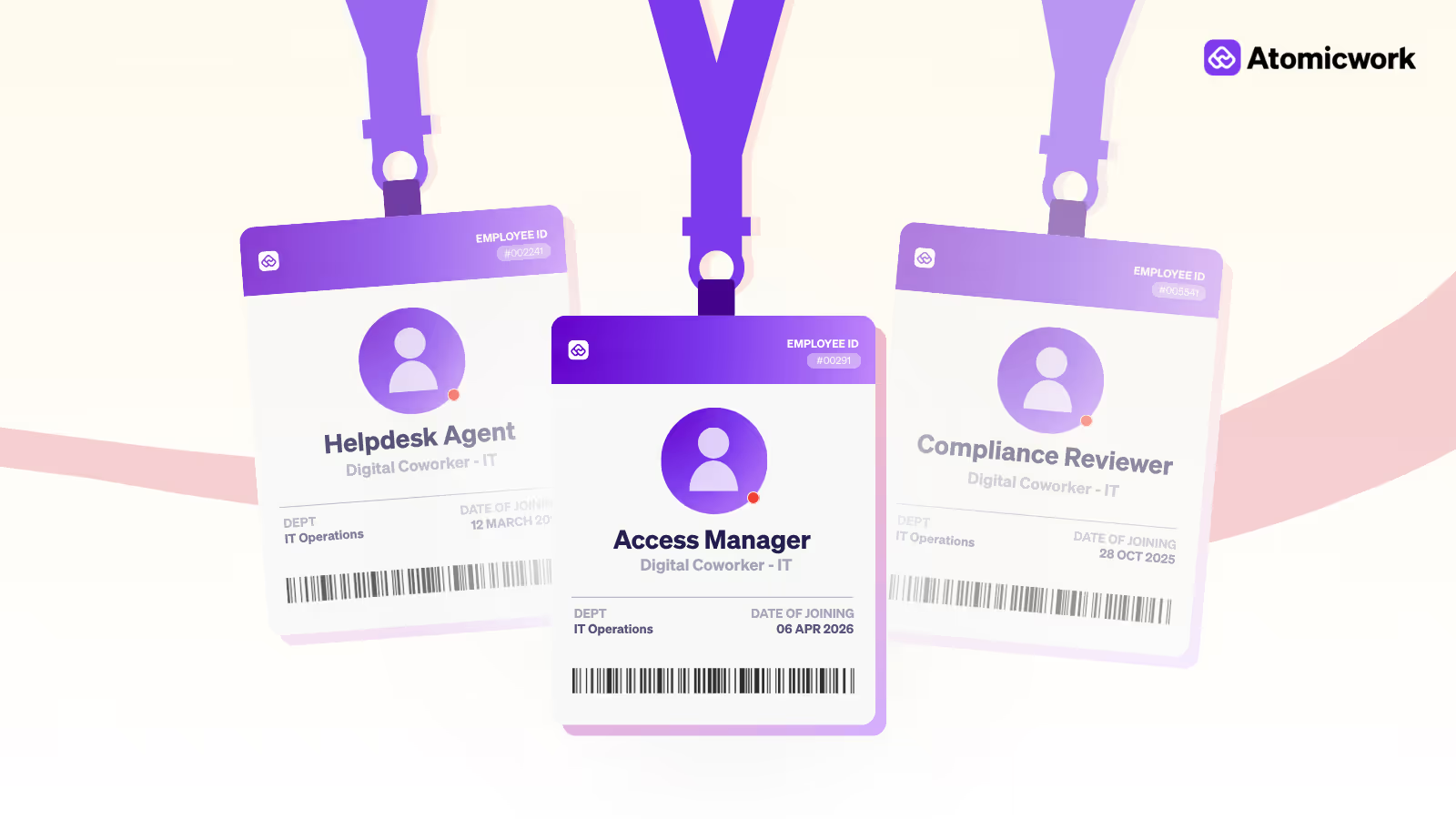
In Atomicwork’s model, each digital worker has a defined identity (name, role, tone), a "soul" (core behavioral principles that govern how it operates), configurable goals, and a discrete set of skills it can execute reliably.
Alwin, the IT AI employee, connects to Okta, Entra, Jira, and SharePoint. Jane, the HR AI employee, connects to Workday and Payroll systems. Neither is asked to do everything. Each has sub-agents underneath, Alwin’s include an Enterprise App Agent for provisioning and access review, and a Device Agent for app crashes and device health. Bob’s cover onboarding and offboarding, with skills that vary by employee type.
This decomposition is intentional. Rather than one agent handling an entire workflow end-to-end, work is broken into bounded skills that keep task chains short and errors contained. When a request comes in, a triage layer classifies it and routes it to the right skill or sub-agent. The agent stays within its reliable capabilities. The handoff happens before it doesn’t.
A concrete example: IT service request with Atomicwork
Say an employee messages Atom on Slack: "I can’t access the marketing analytics tool and I think my laptop is also running slow."
That’s two separate problems in one message. Here’s what happens next.
Atom detects both intents and separates them into distinct requests. For the access issue, it calls the provisioning agent, which checks role-based permissions, identifies that the employee should have access, and raises an access request to the right approver automatically. For the performance issue, it calls the diagnostics agent, which reads on-device system data, checks running processes, and either resolves the issue directly or surfaces a step-by-step fix for the employee.
If the diagnostics point to something deeper, a recurring incident pattern across the team, the incident agent gets looped in. It triages, checks for related open incidents, and flags it for IT with full context already attached.
The employee gets updates inside Slack. No portal. No ticket number to track manually. No back-and-forth asking for information that the system already has.
What digital workers can and can’t do
Before getting to the use cases, it’s worth being honest about where digital workers still fall short — because the gap between the demo and production is where most deployments stall.
The biggest limitation is that digital workers are only as good as the environment they operate in. WalkMe’s State of Digital Adoption 2026 report found that teams lose 51 full workdays a year to tool friction alone — fragmented systems, inconsistent data, and processes that were never documented clearly enough for a human to follow, let alone an autonomous agent. Drop a digital worker into that environment and it inherits every inefficiency.
Then there’s the scope problem. Digital workers perform best when they’re scoped to well-defined roles with bounded tasks. A digital worker that handles password resets, access provisioning, or ticket triage within a 3–5 step workflow can be genuinely reliable. Ask it to run an end-to-end investigation across four systems with ambiguous inputs, and failure rates climb fast.
And finally, there’s the trust gap. Deloitte’s 2025 survey of 1,854 executives found rising AI spend but elusive ROI, largely because organizations are deploying digital workers without redesigning the work around them. A digital worker bolted onto a broken process automates the brokenness faster.
None of this means digital workers don’t deliver value. They do, measurably, in the right conditions.
Enterprise use cases for digital workers
1. IT service desk
The IT service desk is where digital workers have the most immediate impact. Every service desk handles a predictable volume of repetitive requests: password resets, app access, VPN issues, device troubleshooting. These don’t require human judgment. They require speed and consistency.
A digital worker handles the full cycle. It receives the ticket, classifies the request, runs diagnostics, resolves what it can, and escalates what it can’t, with full context already attached. No back and forth. No agent spending 20 minutes on something that should take two.
Atom does exactly this. An employee messages Atom on Slack about a VPN issue. Atom reads the context, runs the diagnostics agent, checks device and network data, and either resolves it directly or walks the employee through a fix. If it’s a recurring issue across the team, the incident agent flags it for IT with everything documented.
2. HR operations
HR teams carry a similar load. Onboarding workflows, leave approvals, policy questions, benefits inquiries, most of it is high volume and low complexity. A digital worker handles these without pulling an HR professional into every interaction.
Atomicwork’s platform extends the same capability across departments. An employee asking about parental leave policy gets an accurate, policy-matched answer instantly. A new hire’s onboarding tasks get triggered, tracked, and completed without a coordinator managing each step manually.
3. Employee support
Employees don’t work from a single tool or location. A digital worker that only lives in a portal isn’t particularly useful to someone mid-task in Slack or Teams.
Atom operates across browser, Slack, Teams, email, and portal simultaneously. It supports voice and vision, so an employee can share a screenshot of an error and get a diagnosis without filing a ticket. Requests get routed, resolved, or escalated based on what’s actually needed, not where the employee happened to ask.
The human + digital worker model
The concern comes up in every conversation about AI at work: Are these replacing people?
The honest answer is more complicated than a simple no.
What digital workers actually displace are the tasks that didn’t require human judgment to begin with, ticket summaries, access requests, routine diagnostics, and policy lookups. Work that consumed hours without moving anything meaningful forward.
According to Atomicwork’s State of AI in IT 2026 report, the top anticipated benefits of AI in IT include enhanced data analytics, self-service assistants, improved employee experiences, and workflow automation. None of those eliminates human agents. They redirect them.
But redirection still requires trust. The organizations seeing real adoption are the ones that involve frontline teams in deciding where agents help, not just where they’re technically possible. Change management, role redesign, and transparent communication need as much attention as the technology itself.
Atomicwork’s philosophy is built around this directly. Atom is designed to handle the high-volume, repetitive layer of service management so human agents can focus on the interactions that actually need them, complex incidents, sensitive situations, and decisions that require real judgment.
Where to go from here
The starting point isn’t choosing a platform. It’s about identifying where your team spends time on work that doesn’t specifically need them, and asking what it would look like if that work handled itself.
Start with one workflow. Something high-volume, well-defined, and easy to measure against a human baseline. Prove value there before expanding. Build governance in from the beginning, not as an afterthought when something goes wrong. And involve the people whose work is changing, because the teams that skip that step don’t fail technically. They fail because nobody uses what they built.
Digital workers aren’t a shortcut to a leaner headcount. They’re a way to redirect your team toward the work that actually needs them.
If you’re looking for a practical place to start, Atomicwork gives IT and service teams a purpose-built foundation, agents with real identity and real governance, and skills designed to remain within their reliable capabilities.


Frequently asked questions
More resources on modern ITSM

.avif)