starts in
04
days
04
hrs
04
min
Your new workforce won't be all human. Join the

conference to learn how to manage it.
request invite

Not long ago, “AI in the enterprise” meant a chatbot that answered FAQs and occasionally sent you in circles. Then came AI agents — autonomous systems that can triage incidents, provision access, resolve tickets, and escalate the ones that actually need a human. But agents that do tasks aren’t the finish line. The real shift is from agents to AI coworkers: systems with identity, memory, skills, and governance — managed the way you’d manage any employee. That’s the AI workforce.
The scale of what’s coming with agentic AI is hard to ignore. IDC expects that there will be more than 1 billion actively deployed AI agents by 2029 and agentic AI will exceed 26% of the global IT spending.
However, amidst all this excitement, there exists an uncertainity. As Deloitte points out, only 11% of organizations actually have AI agents running in production today. And one of the major reasons that the study points out is that many enterprise systems were “never built for real-time, autonomous AI agents” both design and infrastructure wise.
Deloitte goes on to reveal how the most significant change is to recognize AI agents as a new category of labor, a “silicon-based workforce”, that organizations can integrate as digital workers alongside a human workforce. This is exactly what we call the ‘AI workforce’ that gives businesses the infrastructure to run autonomous AI agents in a collaborative manner with human employees.
This guide breaks down what the AI workforce actually is, the critical components of this new workforce, and what IT leaders can do to make it work.
The AI workforce is a set of autonomous AI agents that function as ‘coworkers’ within your teams, mirroring how your employees’ function. This means they have their own defined identities, roles, scope, reporting hierarchy, performance reviews, and budgets to complete certain required tasks. We will be addressing these coworkers as ‘AI coworkers’ in this article, going forward.
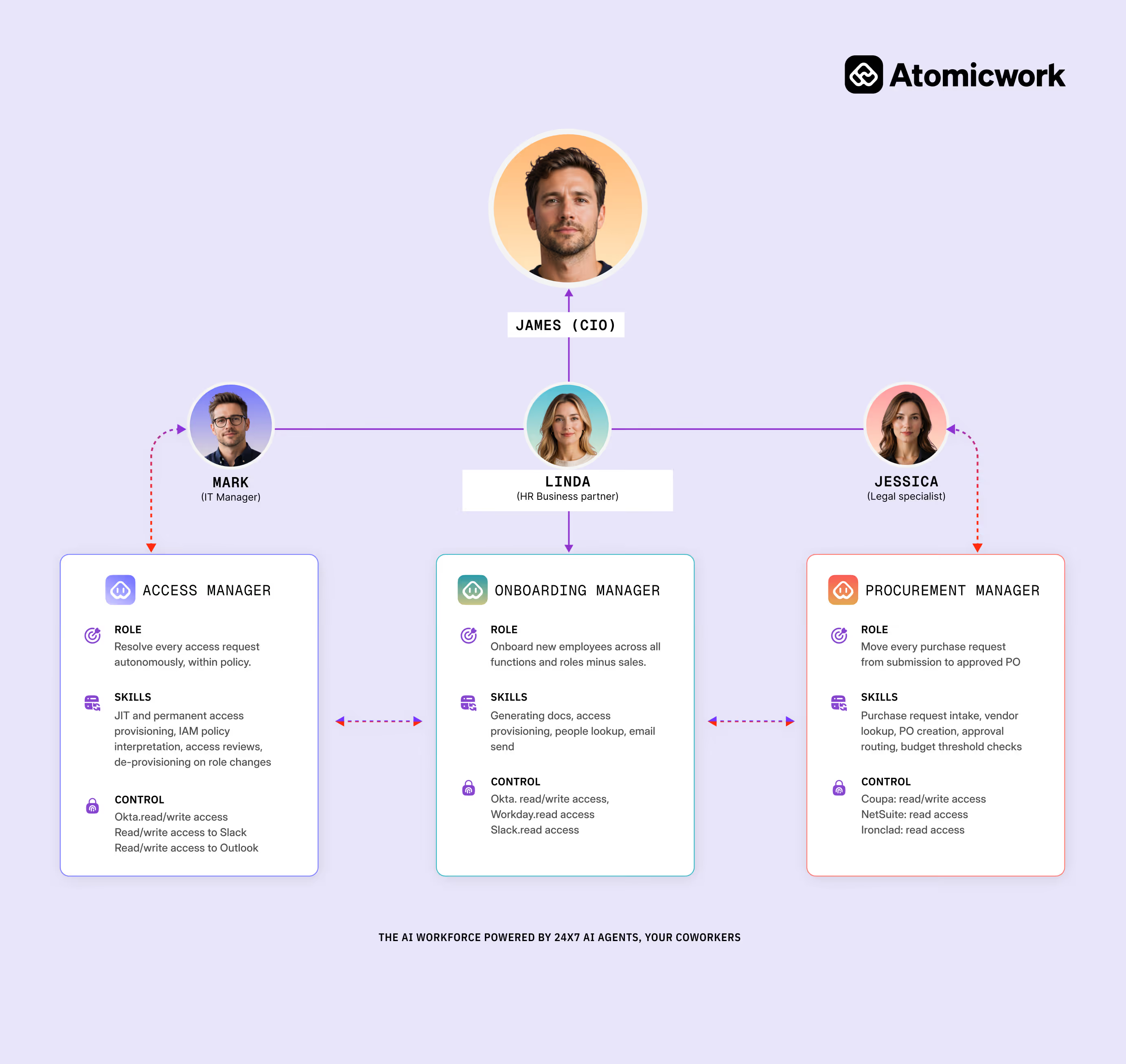
These AI coworkers sit inside your existing systems, handling IT tickets, triaging incidents, provisioning access, managing approvals, and onboarding new hires, without waiting for a human to kick things off. They’re more like a new category of employee, collectively known as the AI workforce, where AI systems function autonomously to actually complete work.
In practice, with the Atomicwork AI workforce you’d have specific AI coworkers listed alongside the skills they carry and the systems they’re connected to.
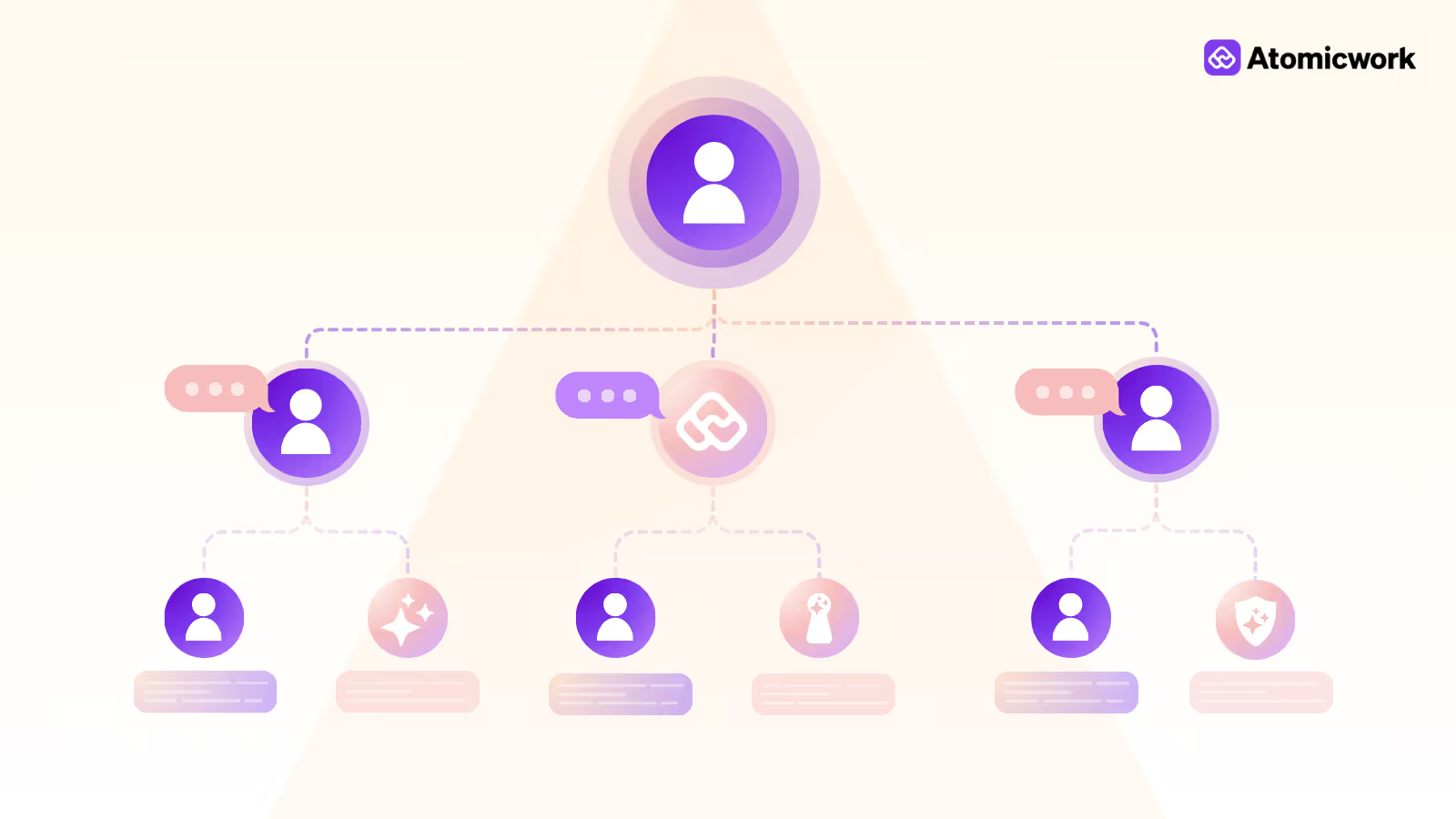
Atom handles employee support. A triage manager picks up incoming tickets, analyzes them, and routes them.
An access manager guides employees through the app provisioning process. An onboarding manager triggers all the Day-1 processes.
Each one has a defined role, a defined scope, and an audit trail for a well-governed operating system.
AI agents are genuinely useful, but only within a narrower band and here’s why.
Carnegie Mellon’s TheAgentCompany benchmark tested AI agents on 175 real enterprise tasks. The best-performing model completed about 34% of them autonomously. Not because the AI couldn’t handle individual steps; errors compound across sequences. A small misread at step two quietly breaks step four, and by the time a human notices, the damage is done.
Practitioners now recommend capping agentic workflows at 3–5 steps.
For IT teams, that’s a useful mental model. An agent can reset a password or check a device’s health status. However, a multi-system diagnostic that touches Active Directory, a CMDB, and a monitoring tool simultaneously? That’s where autonomous handling gets risky.
Enterprise AI tools hallucinate in 17–34% of cases, depending on the domain. Forrester estimates these costs $14,200 per employee per year in verification and error recovery.
In fact, knowledge workers then spend 4.3 hours per week double-checking AI outputs.
LLMs are stateless by design. And while context windows have grown dramatically, practical performance starts to degrade around 32K–64K tokens, leading to what researchers call as "context rot."
In a support scenario, this means the agent, while helping an employee through a lengthy troubleshooting session, gradually loses the thread. The employee ends up repeating the same information they gave twenty minutes ago, which is exactly the kind of experience that makes people stop using the tool.
Every agent deployment needs an escalation path. The problem is that when agents hit their limit and transfer to a human, they frequently drop the context. The human agent starts from scratch. The employee, already frustrated, now has to explain their issue again.
The cost of that moment is higher than most teams realize. Qualtrics research, found that after a botched handoff, only 12% of users trust that support channel again.
The limits in the previous section aren’t reasons to avoid AI agents but to design them differently. The teams getting real results aren’t asking one agent to do everything. They’re decomposing work into small, specialized skills and building a management layer underneath that keeps the whole thing observable.
If you hired an AI coworker tomorrow, their "day" would run something like this.
An AI employee isn’t a chatbot waiting for questions. It has a defined role, a set of tools it can access, and behavioral instructions that govern how it operates, closer to a job description than a prompt.
In Atomicwork’s model, this breaks down into a "soul" (core behavioral principles), an identity (name, role, tone), and configured goals.
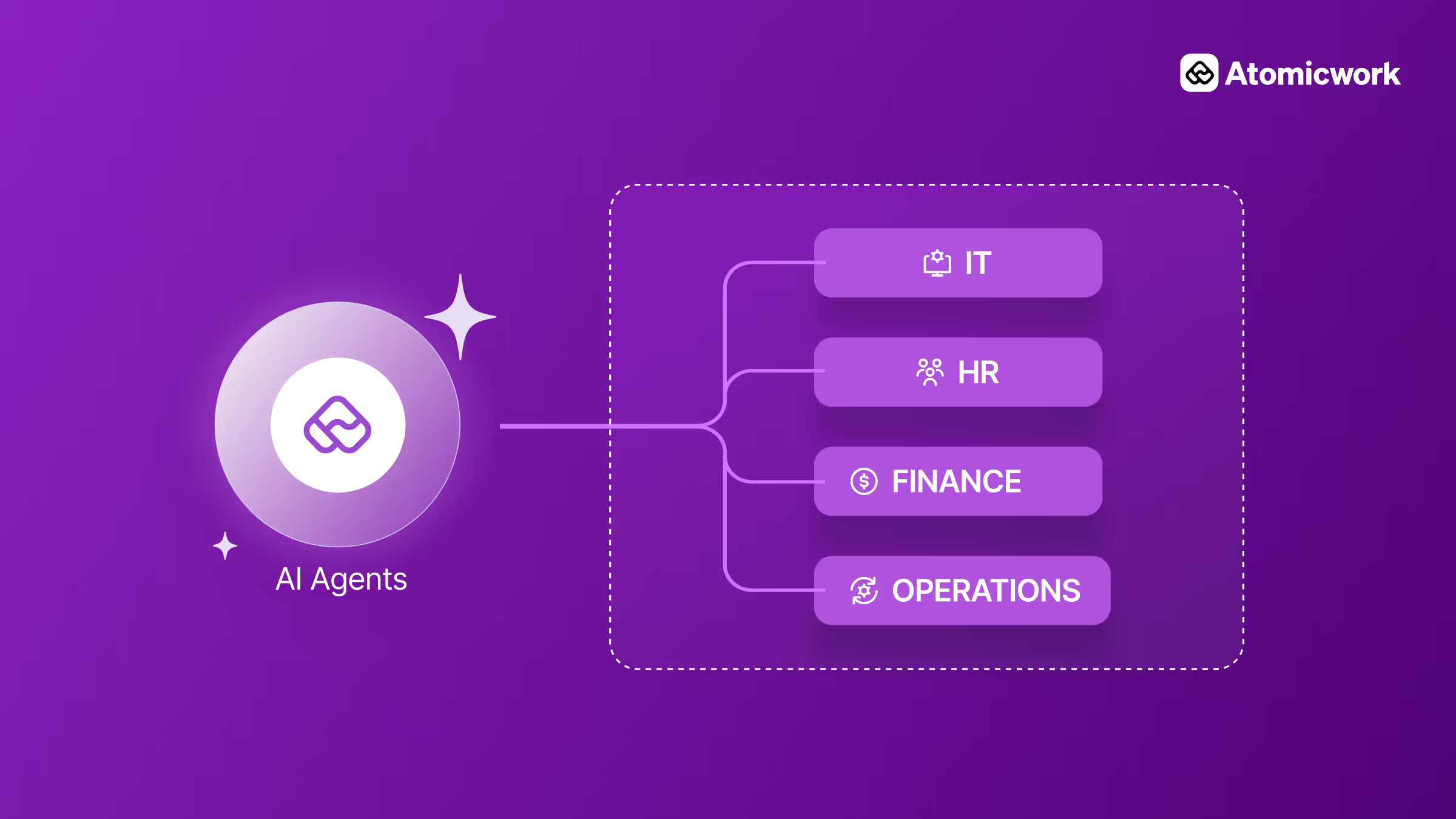
Jordan is the IT AI employee. Bob handles HR. Each has specific tools wired in. Jordan works with Okta, Entra, Jira, and SharePoint; Bob connects to Workday and Payroll systems.
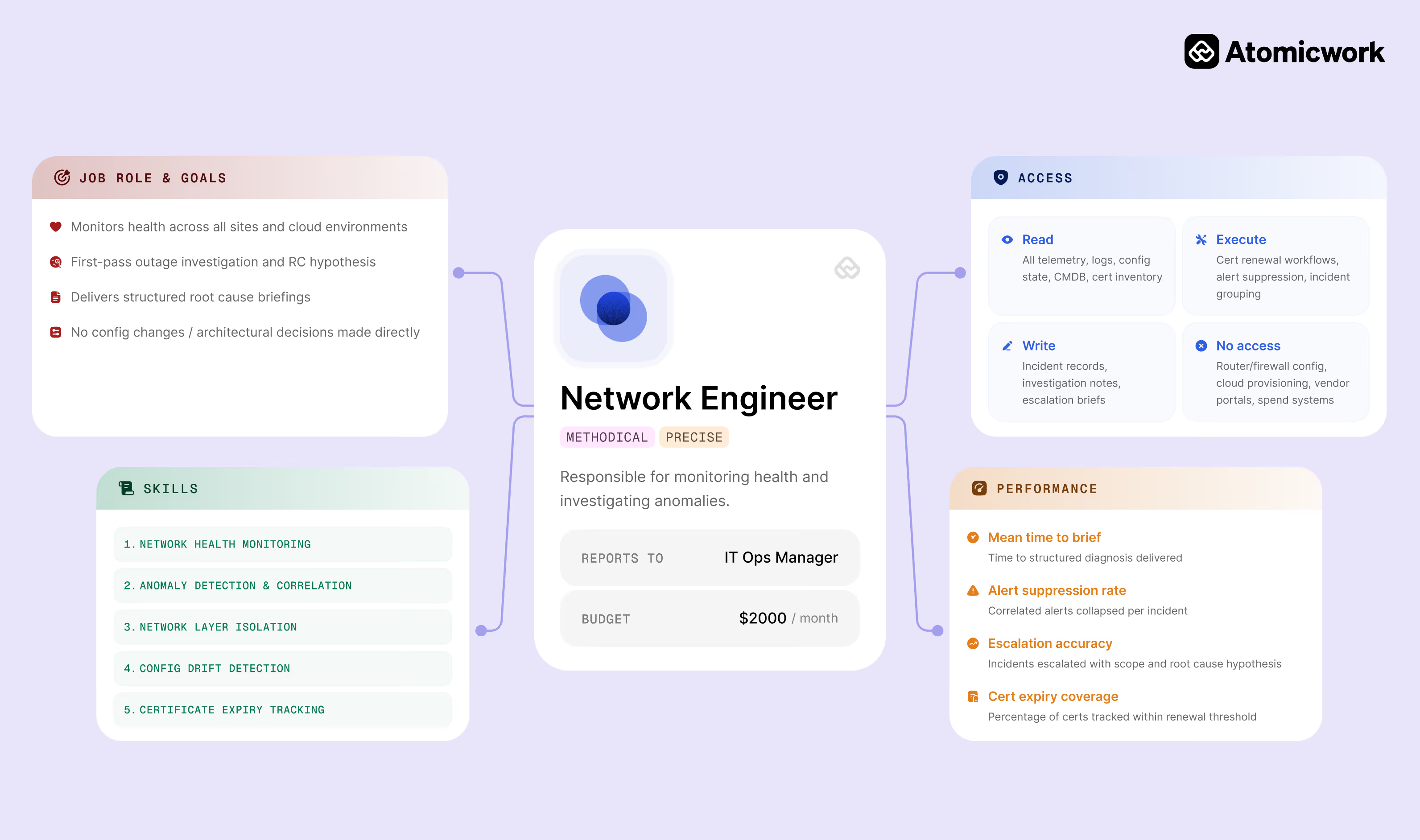
Rather than one agent handling an entire workflow end to end, an AI workforce decomposes work into discrete, bounded skills like password resets, MFA recovery, leave management, access provisioning, and incident triage.
Each skill is a task the agent can execute reliably within the 3–5 step window that benchmarks say matters.
When a request comes in, a triage layer, sometimes itself an agent, classifies it and routes it to the right skill or sub-agent.
Jordan’s sub-agents could include an Enterprise App Agent for provisioning and access review, and a Device Agent for app crashes and device health. Bob’s sub-agents could cover onboarding and offboarding, with skills that vary by employee type, US employee, and India employee.
The work stays scoped. The errors stay contained.
AI coworkers don’t operate in a vacuum. They connect to enterprise systems through integrations: Okta for identity, Jira for ticketing, Slack or Teams for conversation, and SharePoint for knowledge.
Emerging standards are making this easier across vendors. Anthropic’s MCP (Model Context Protocol) lets agents interact with external tools in a standardized way. Google’s A2A (Agent2Agent) protocol enables agents from different systems to hand off work to each other. This is the plumbing that separates a genuinely useful AI workforce from one.
Just like human employees need HR systems, AI coworkers need a management layer. That means every dimension you use to manage a human employee now applies to the AI workforce. This includes:
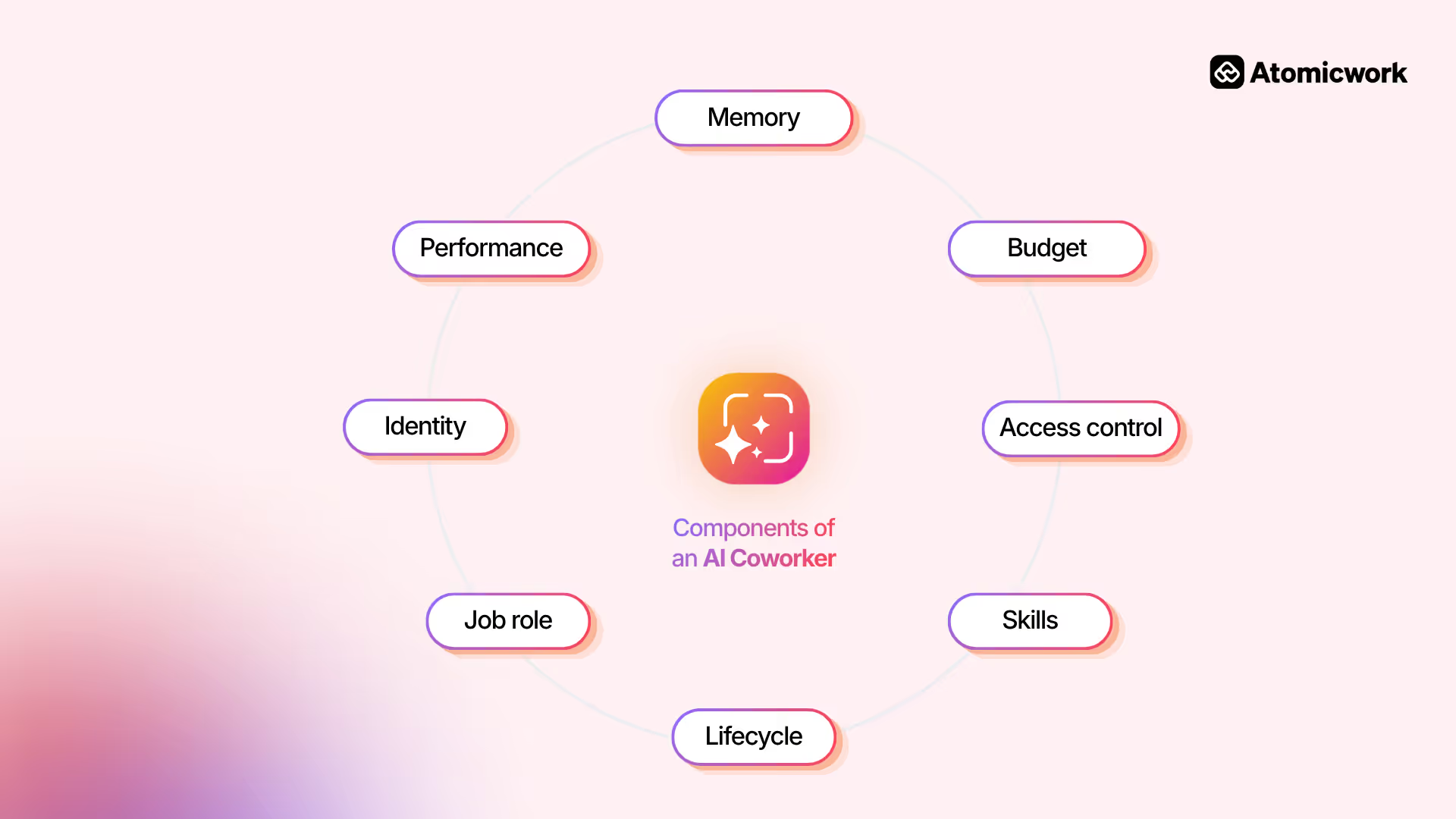
Each AI coworker carries a defined identity, managed connections, audit logs, and performance metrics that are visible and controllable from one place.
Let’s see an example of the AI coworker in action. Suppose there’s a “slow laptop” incident.
An IT Support Workspace Manager first triages the incident, assigns to a Hardware Support Specialist who then auto-diagnoses via JumpCloud, and asks targeted follow-up questions. That’s collaboration, skills & tools, and Governance working together.
In case of an “onboard Jane Lee” request where a Triage Agent routes to an Employee Onboarding Agent that opens and links HR and badge access workflows across three linked requests. That’s lifecycle management and cross-function orchestration in action.
Without this management layer, organizations get agent sprawl. Agents multiply across departments, owned by no one, audited by no one, quietly accessing systems they probably shouldn’t.
The organizations making progress with the AI workforce think about any AI coworker as a new hire: what’s the role, what does good look like, and who’s the manager. Here’s what that looks like in practice.
Most teams start by listing tasks they want to automate: password resets, access requests, onboarding checklists. That’s the wrong unit of analysis. List the recurring roles on your service desk instead — "L1 dispatcher," not "reset password." You’re not automating tasks but staffing positions.
That shift in framing changes everything downstream. An AI coworker can now be wrapped in role-specific goals, permissions, memory, tools, and guardrails — what’s sometimes called an agent harness.
Once you think in roles rather than tasks, you’re designing that harness around a job description, not a to-do list:
Choose the highest-volume, lowest-risk role. That’s where AI coworkers earn trust.
A triage dispatcher that routes tickets is a better first hire than a multi-system diagnostic agent touching Active Directory, a CMDB, and a monitoring tool simultaneously.
What makes this practical today is that AI coworkers can run in sandboxed, isolated environments so that your first deployment doesn’t need to touch production systems with full access.
And because skills are now portable and vendor-neutral through formats like MCP, the capabilities you build for that first role aren’t throwaway work. They’re reusable when you staff the next one. Measure resolution rates, escalation frequency, and time-to-resolution against a human baseline before you expand.
Write the evaluation criteria before you hire. What does success look like for this role? CSAT, audit pass rate, deflection percentage, escalation accuracy. Define these upfront the way you’d write a job description before posting a req. Without clear metrics, you’ll end up six months in with an AI coworker that "seems to be working" but nobody can prove it.
Identify a human employee to own the scope, performance, and promotions for a group of AI coworkers so that there is no anonymous AI in your org chart. Without a named owner, nobody is accountable for whether the coworker is actually delivering value.
While evaluating vendors, ask whether AI coworkers are:
A purpose-built platform can be deployed in months. A DIY stack stitched together from point solutions can take years to build and often still breaks at the handoff layer.
And involve frontline teams in choosing and evaluating tools. Redesign roles so people understand what they’re handing off and what they’re keeping.
Understanding how an AI workforce operates is one thing. Getting it to actually work at scale is another. Most organizations are hitting the same three walls.
Many companies are still figuring out how to govern AI agents. That gap exists in part because traditional identity and access management was never designed for agents. Human employees are persistent; they have fixed identities, predictable access patterns, and a manager somewhere in the chain.
AI agents are ephemeral, operate continuously, and need dynamic permissions that legacy IAM systems simply can’t handle. The result is shadow AI, agents deployed outside IT governance, owning system access nobody formally approved, running workflows nobody can audit. Gartner predicts that by 2028, 25% of enterprise breaches will trace back to AI agent abuse.
AI coworkers overcome this with formal organizational identities, the same accountability structures you’d apply to a human employee. Each coworker carries a defined identity, behavioral principles (what the platform calls a "soul"), configurable goals, and managed connections, all of which are visible in audit logs.
Unlike a human employee with a fixed salary, an AI agent’s cost scales with usage in ways that are genuinely hard to predict. Every interaction burns tokens. A simple FAQ lookup costs fractions of a cent.
A multi-system diagnostic touching ticket history, a CMDB, and Active Directory can cost orders of magnitude more. Multiply that by thousands of tickets per day. The pricing models themselves are still being invented in real time.
Salesforce went through three Agentforce pricing structures in under a year, from $2 per conversation to flex credits to unlimited enterprise licensing.
The hidden costs are harder to track than the vendor line items:
Businesses can start with high-volume, low-complexity tasks where cost per resolution is easy to measure against a human baseline. Monitor cost per ticket as closely as you track resolution rates. Platforms that scope agents to specific skills, rather than giving them open-ended access, help contain runaway token consumption on edge cases by design.
The technology is only half the problem. BCG found that workers at AI-advanced companies are actually more anxious about job security than those at less advanced ones — not less. The more visible the AI investment, the higher the anxiety.
Only 6% of companies fully trust AI agents on core processes. These numbers matter because no technology works if people won’t use it. An AI workforce that IT deploys but employees route around isn’t really an efficiency gain but a masquerading governance problem.
The organizations seeing real adoption are the ones that involve frontline teams in deciding and designing the AI workforce.
The AI workforce is already here, already inside your tools, handling work your team used to own. The question is whether you’re building it deliberately or inheriting it by accident.
The organizations pulling ahead aren’t the ones with the biggest AI budgets. They’re the ones that started narrow, governed early, and treated employee trust as infrastructure.
If you’re looking for a place to start, Atomicwork’s agentic service management platform is designed for exactly this, built for IT and HR teams who want results without the sprawl. Talk to us if you want to understand the AI workforce better!