The New Operating Model for IT


It's Saturday night. Your phone buzzes. Another alert, another ticket, another thing that apparently can't wait until Monday. You already know how the rest of the night goes. Every IT leader has some version of this story: it’s Friday night/ Saturday morning/ 5 minutes before a vacation, another alert, another ticket, another thing that can’t wait. I don’t need to spell it out for you to know how it ends. Multiply it across a team that's already understaffed, and you get an org that isn't really choosing between projects — it's choosing which fire to fight first.
Now picture a different version: the outage gets triaged and fixed by an AI Coworker before the engineer's finished their coffee. No war room, no human sifting through the queue.
At first, there were tools. Then there were workflows. Now there's an AI workforce — and it demands harder questions than either of those did.
IT teams have spent years trying to do less routine, repetitive work so they can focus on building. But the tools meant to help usually became one more thing to administer — platform admin got complex enough to become its own job, and people got used to doing the routine because someone had to.
With AI Coworkers, service teams can finally shift away from that human-intensive model: the spiky work that needs judgment and creativity stays with people, and the routine gets handled without anyone compromising on the experience.
Why now? Because model capabilities have crossed the line from "assists with a ticket" to "can be trusted to own one end-to-end" faster than most IT leaders expected — and budgets are catching up just as fast. This isn't a five-year horizon. It's a this-quarter decision.
There are only two ways to make that decision, and the one a company picks now is the one that decides whether any of this actually works.
The easy way 🔵
The easy way is buying the AI-native platform and doing the exact same job as before. Employees create tickets. AI assists and suggests. IT agents still work every ticket, just with a chatty sidekick offering advice. Same headcount, same queues, same Tuesday. The promised efficiency never appears because the processes did not change.
Not because the AI is bad — because you never changed the thing that needed changing: the job. You bought a taller candle when really, you needed more light.
The hard way 🔴
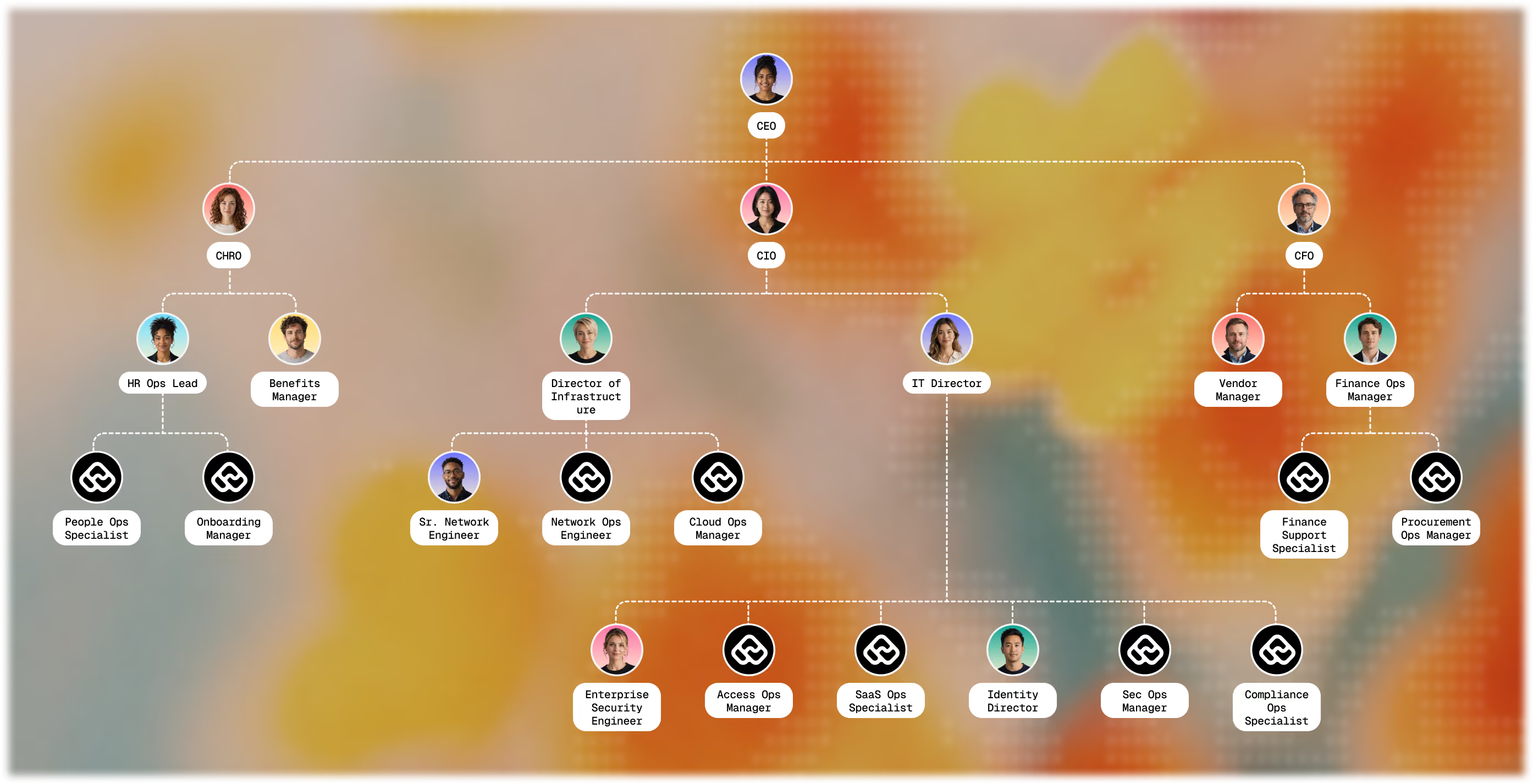
The hard way is rethinking the job itself. Not "how do we assist the person doing this work," but "Does a human need to be doing this work at all — or is this a role an AI Coworker can actually own, with supervision?"
That's the harder question. It's also the only one that changes your Tuesday — and Cam from Sales's Tuesday too, since Cam never asked for a faster ticket queue. Cam asked for the problem to go away.
Here's the framework we'd use to answer it.
(If you'd rather watch this than read it, we ran a session on exactly this: Framework for handing your first role to an AI coworker.)
1. Inventory the jobs, not the tasks
List the recurring roles on your service desk the way you'd list open positions — "L1 dispatcher," not "reset password." Tasks are what you automate. Jobs are what you staff. If you're still thinking in tasks, you're still thinking in the old model.
2. Pick the right first role
Not every job on that list is ready for an L1 dispatcher-style AI Coworker yet. The test we use: a job is a fit when three things are true.
- It's a bounded problem with a rulebook solution — an SOP, a "do this if it's low-risk, escalate if it's not." If you can write down what a good outcome looks like, a coworker can follow it. If you can't, neither could a new hire.
- An event triggers it — a ticket, a request, a new hire landing in the HRIS, a specific alert firing. There's a starting gun for an AI Coworker to know to spring into action.
- It's one job, not four bundled together. Onboarding isn't one coworker — it's access, hardware, badge, and payroll, each its own bounded, runbook-able piece.
The shorthand: if you could hand the work to a new hire with a runbook, you can hand it to an AI Coworker. What doesn't clear that bar is the open-ended judgment call — "find the signal in ten thousand alerts" is a needle-in-a-haystack problem, not a job, and assigning it gets you confident, expensive guessing instead of an answer.
Among the roles that do clear it, start with the highest-volume, lowest-risk one. That's where trust gets built fastest — not by being flawless on day one, but by being consistently good at the boring, high-frequency work nobody wanted anyway.
None of this means the role disappears. The human who used to own it outright becomes its supervisor, freed up for the spiky work and the judgment calls that made them good at the job in the first place. If your plan has no answer for that person, you don't have a plan yet.
3. Define what good looks like — before you hire
Just like you would with a human, define what the AI Coworker needs to know, what tools it needs access to, and what it'll be measured on. Write the eval before the role exists: CSAT, audit pass rate, deflection, escalation accuracy. If you can't describe the outcome, you're not ready to give it the job.
This is also where budget stops being an afterthought. You're not provisioning software — you're setting the cost envelope for a role, the same way you would for a headcount you're about to approve. And when an AI Coworker misses its mark, the response looks like it would for any underperforming new hire: its instructions get reviewed, its scope gets narrowed, and the harder cases route back to its manager until it earns them back.
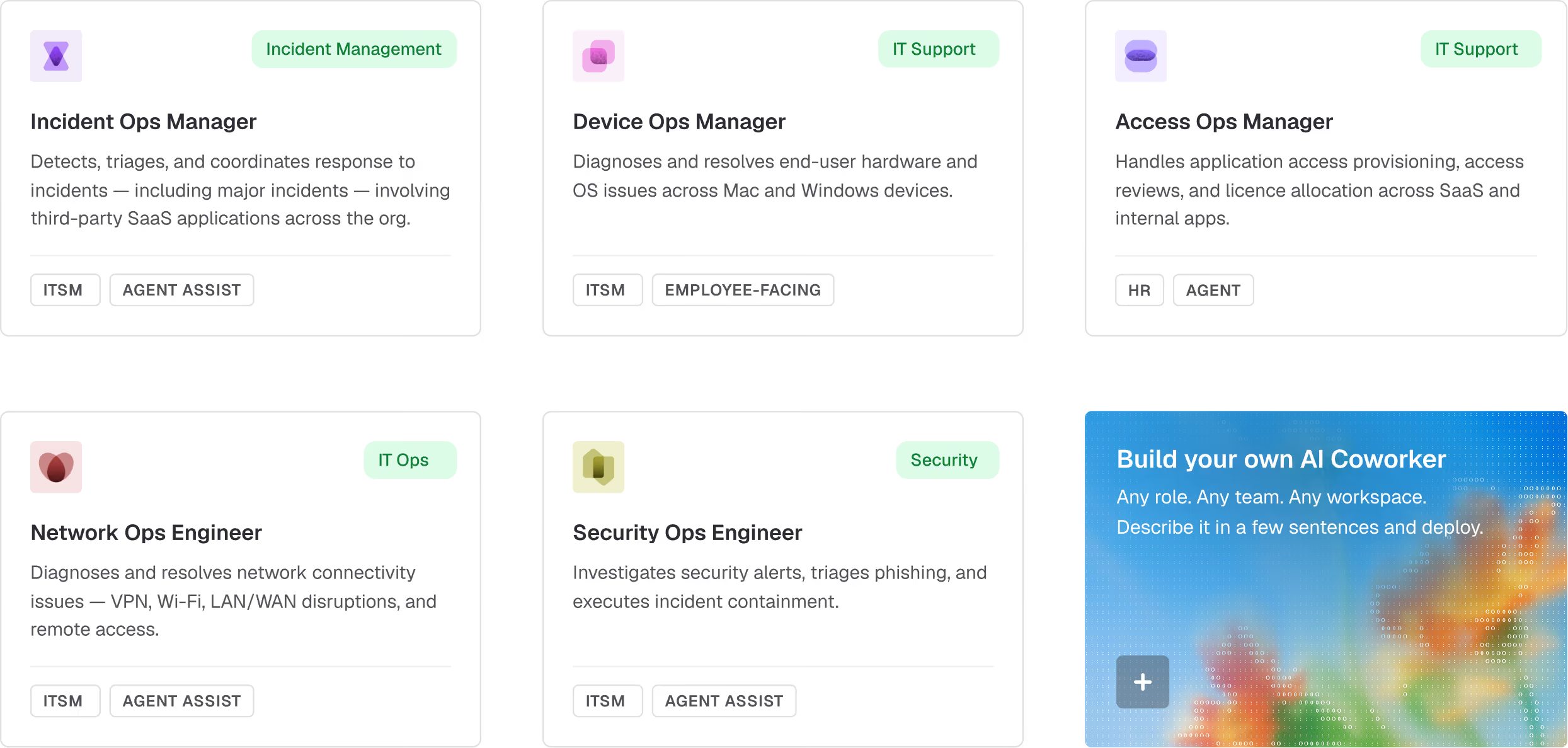
The reason a role like "Device Ops Manager" can also be real and not a party trick is memory — a graph of who this employee is, what they've asked before, what they're entitled to, and what policies apply to them. Without it, you've built a flashier bot. With it, the AI Coworker knows Cam from Sales needs a refresher on password hygiene because he keeps locking himself out — the same way a good human agent already would.
4. Give it a manager
One person owns its scope, performance, and promotions — the same way one person owns a human report's. That single reporting line is what turns an anonymous AI in the org chart into a role with role-based access, boundaries, and someone accountable for both.
This is the part that's easy to skip and expensive to skip. Deloitte's 2026 Tech Trends report puts multiagent systems actually running in production at just 11% of firms — and what stalls the rest almost always comes down to the same thing: nobody's comfortable letting AI act without knowing exactly what it'll do. Governance isn't the brake on autonomy. It's the permission slip.
The easy way buys a platform. The hard way builds a workforce that can scale with your team as you grow intentionally — with a budget, a manager, and a memory of its own.
Whichever roles you hand over first, they're a starting lineup, not a finished org chart. The path you pick now is the one that decides whether any of this actually works. Not sure where to start? We'd love to show you.